USER INTERFACE OVERVIEW
App Layout
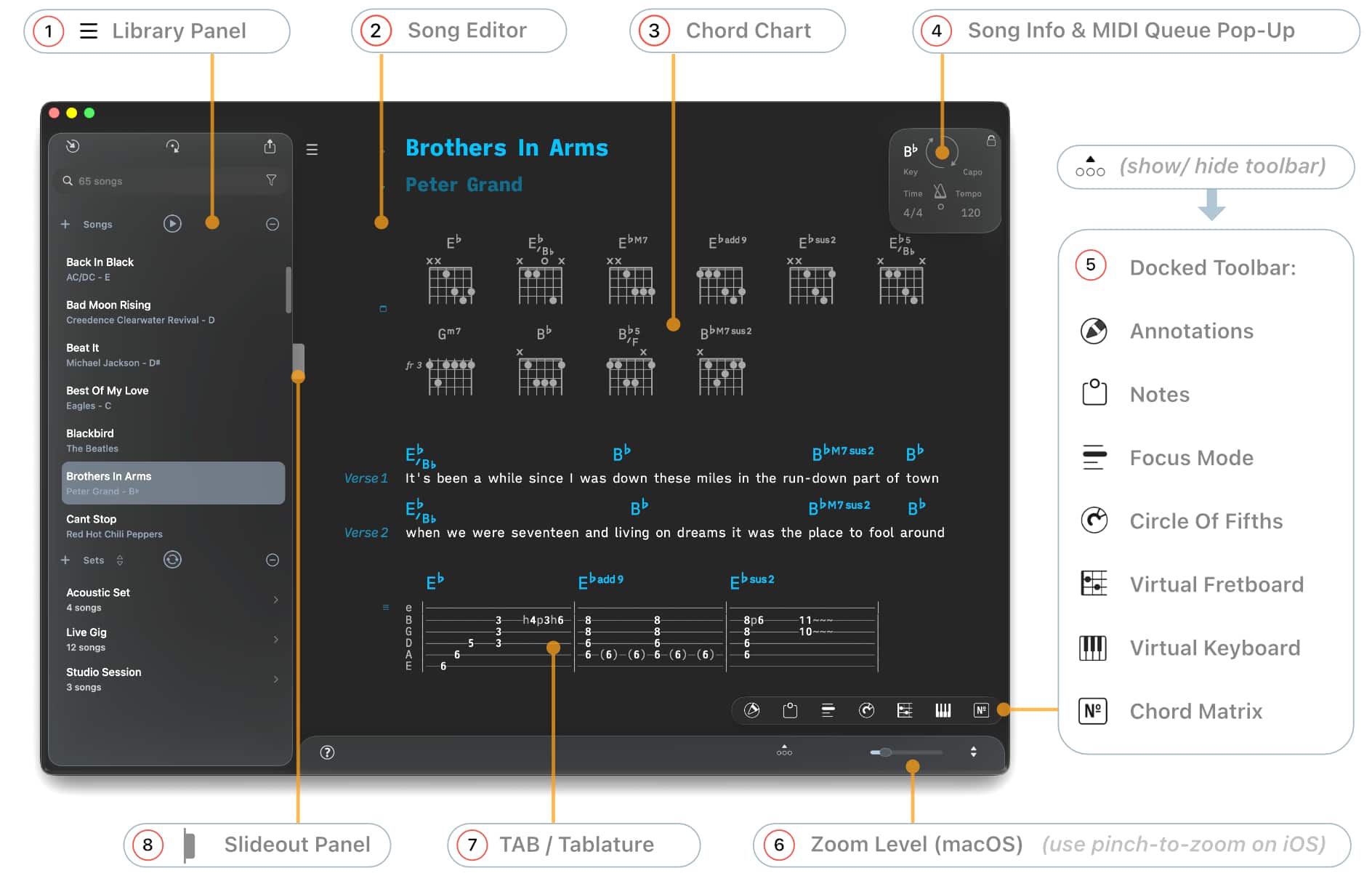
2) Song Editor
5) Docked Toolbar: Highlighting & PDF Drawings (Annotations), Notepad, Focus Mode, Circle of Fifths, Virtual Fretboard, Virtual Keyboard, Chord Matrix
8) Slideout Panel: Song Info, Notepad, Clipboard, MIDI Event List
Song Editor
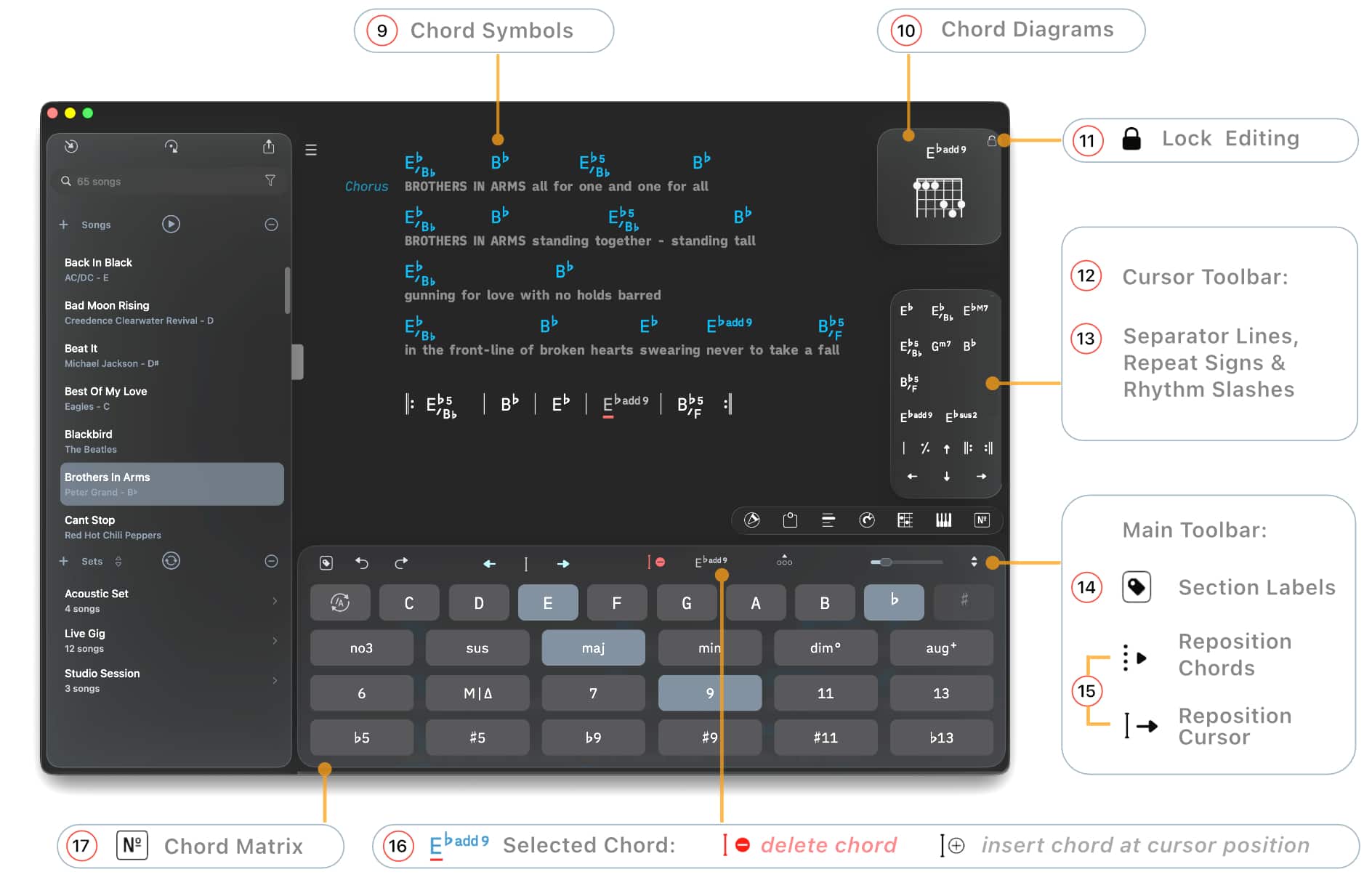
9) Chord Symbols (Themes), Adding Chords, Auto-Spacing, Selecting Chords, Deleting Chords
10) Locking Editing
11) Chord Diagrams
12) Cursor Toolbar
14) Section Labels
15) Reposition Buttons, Repositioning Chords (Drag & Drop)
16) Replacing Chords
17) Chord Matrix
Slideout Panel
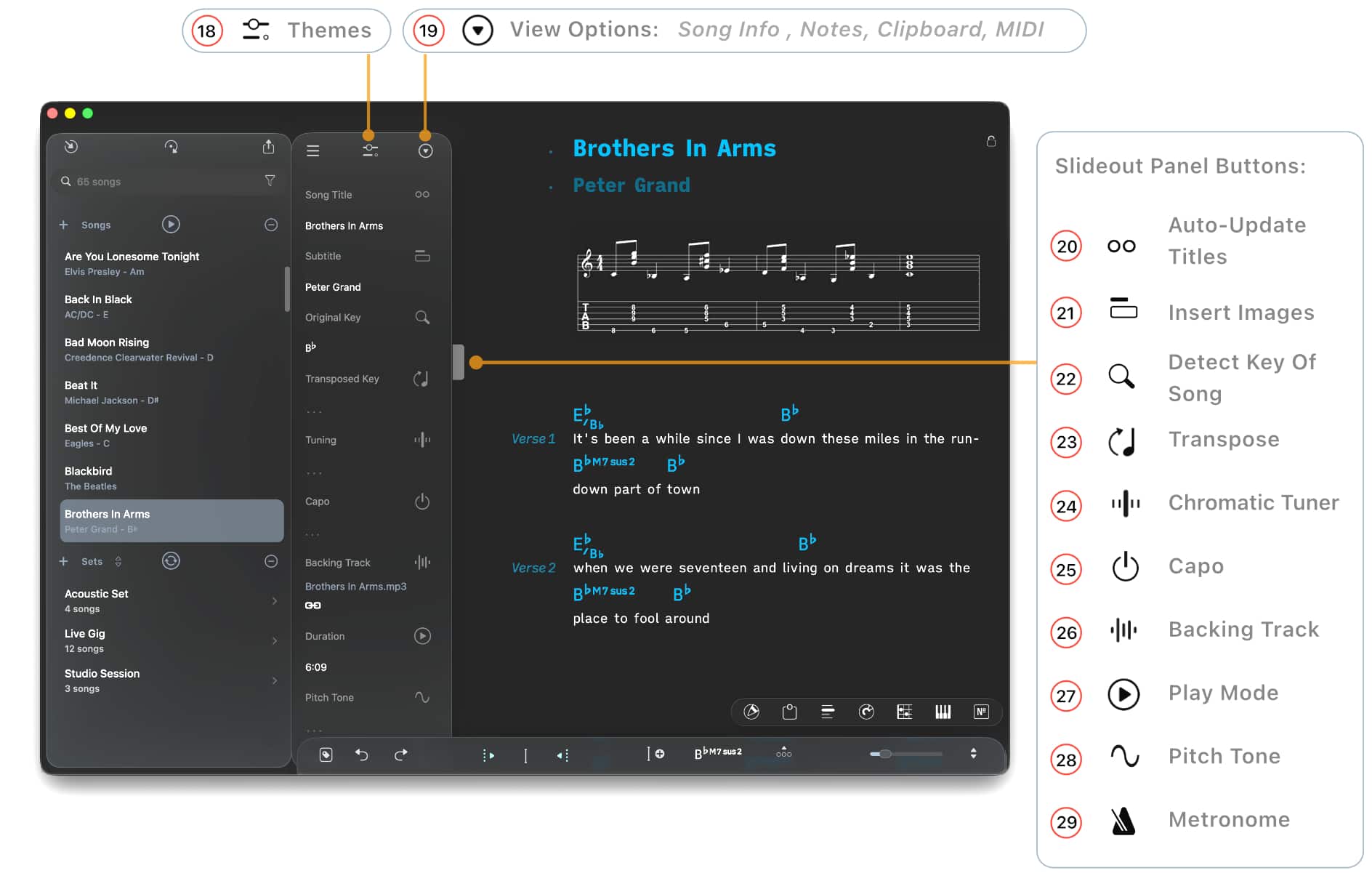
19) Themes
19) View Options: Song Info, Notepad, Clipboard, MIDI Event List
21) Images
24) Chromatic Tuner
25) Capo
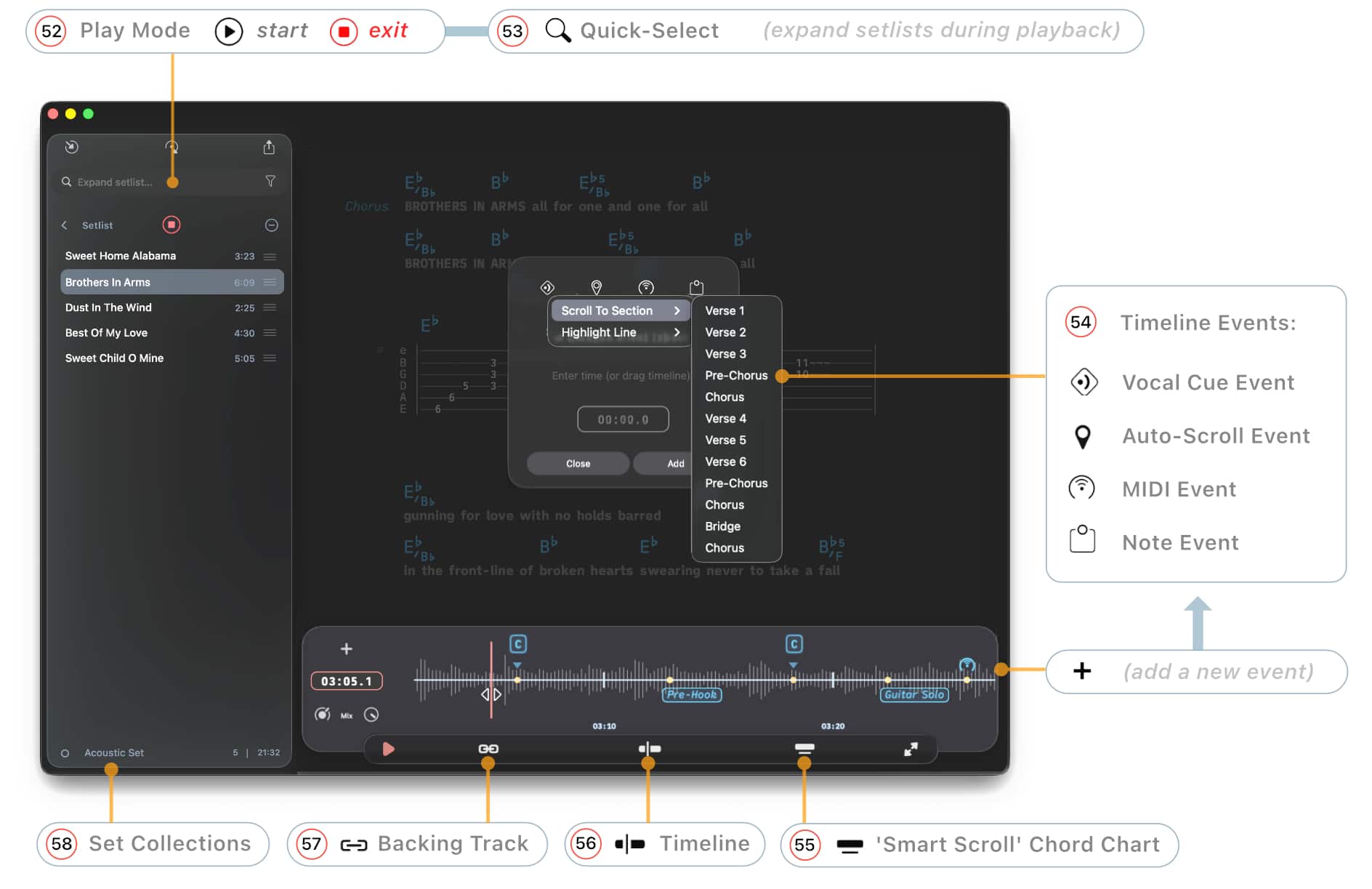
26) Backing Track
27) Play Mode
28) Pitch Tone
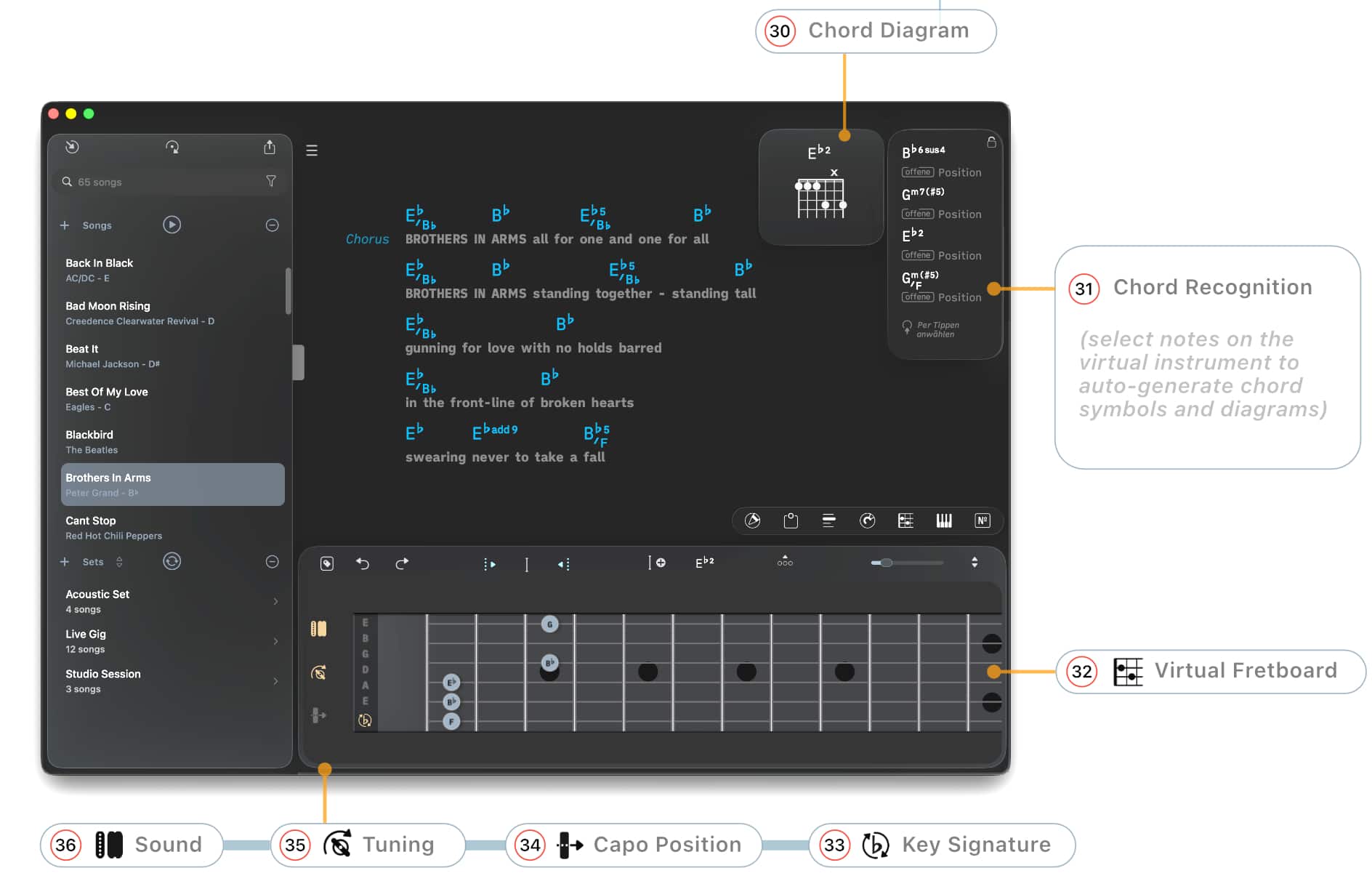
Virtual Fretboard
Virtual Keyboard
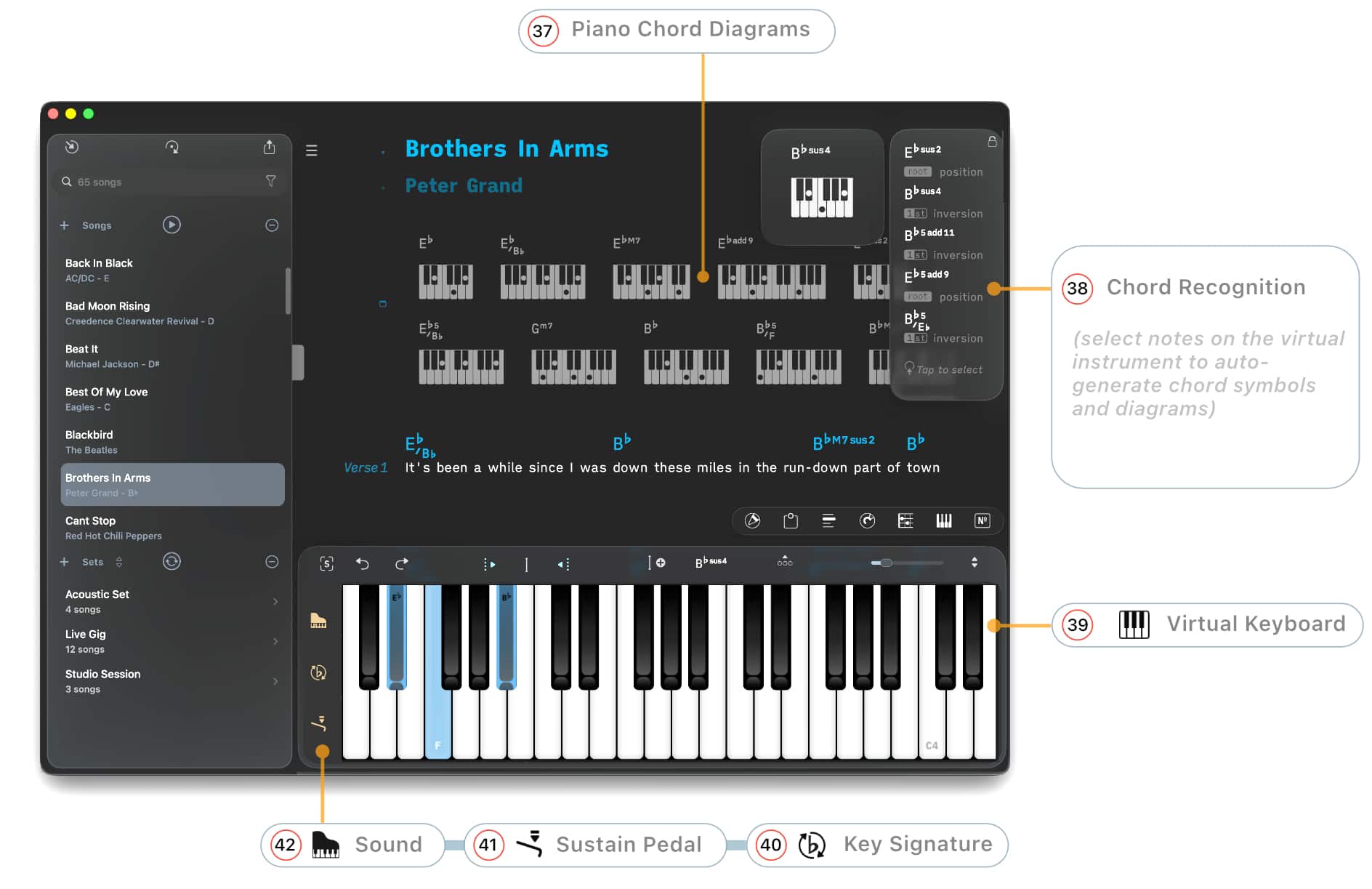
37) Diagram Format (Themes)
39) Virtual Keyboard
40) Chord Recognition (Key Signature)
41) Sustain Pedal
Library Panel
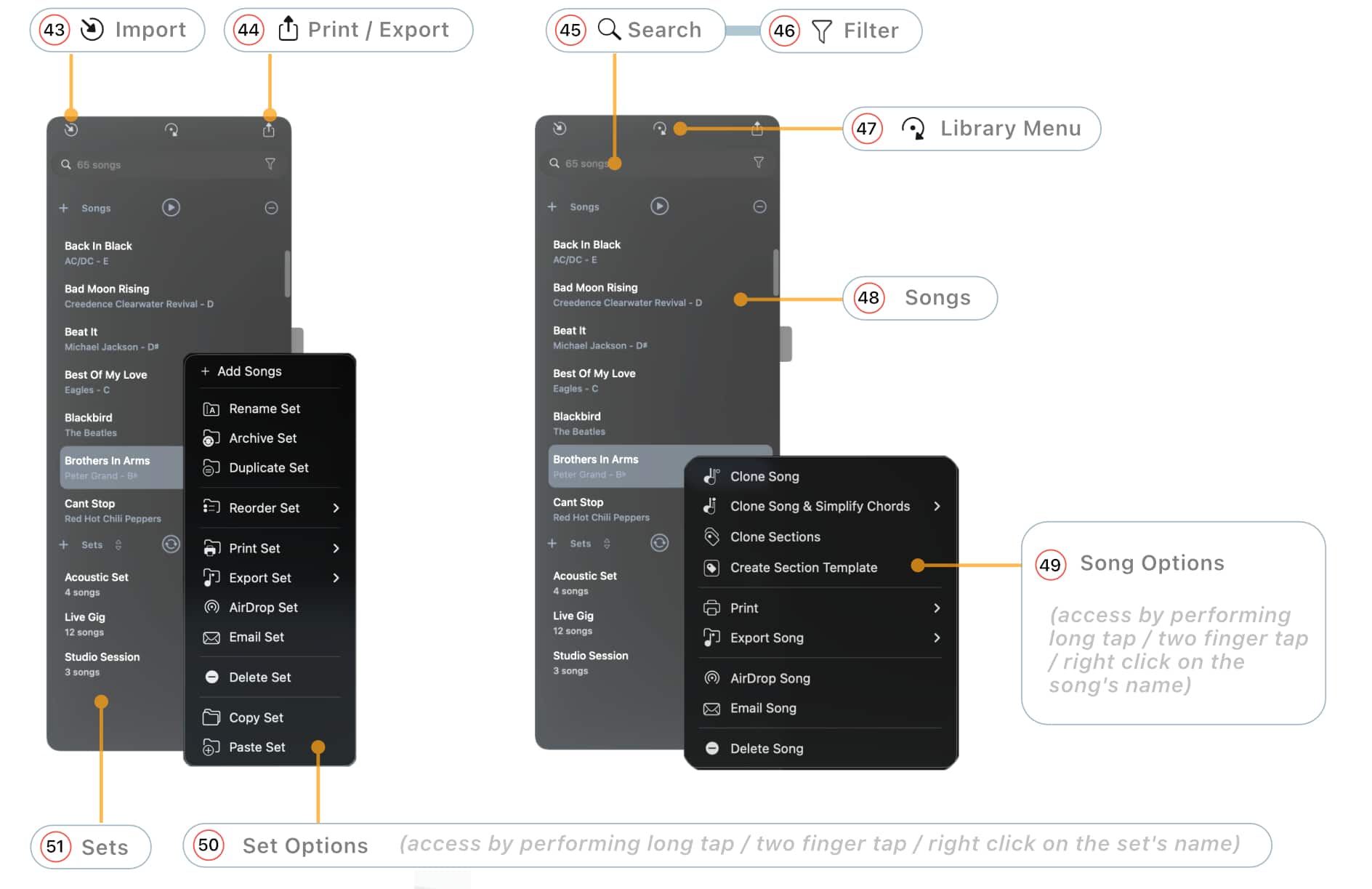
43) Import: Adding Songs, Text-Based Files, PDF Files, ChordPro, OnSong, SongbookPro, SongSheet Pro, Importing Folders, Scanning Documents (iOS), Add To Songs Action Extension, Dropbox & Google Drive
46) Library Filter
47) Library Menu: Search Field (Search By), Sort, Playback Sync, Playback Log, MIDI Ports
49) Song Options: Cloning Songs & Sections, AirDrop Songs & Sets, Email Songs & Sets
50) Set Options (Rename, Reorder, Archive, Print, Export, etc.): AirDrop Songs & Sets, Email Songs & Sets
Play Mode
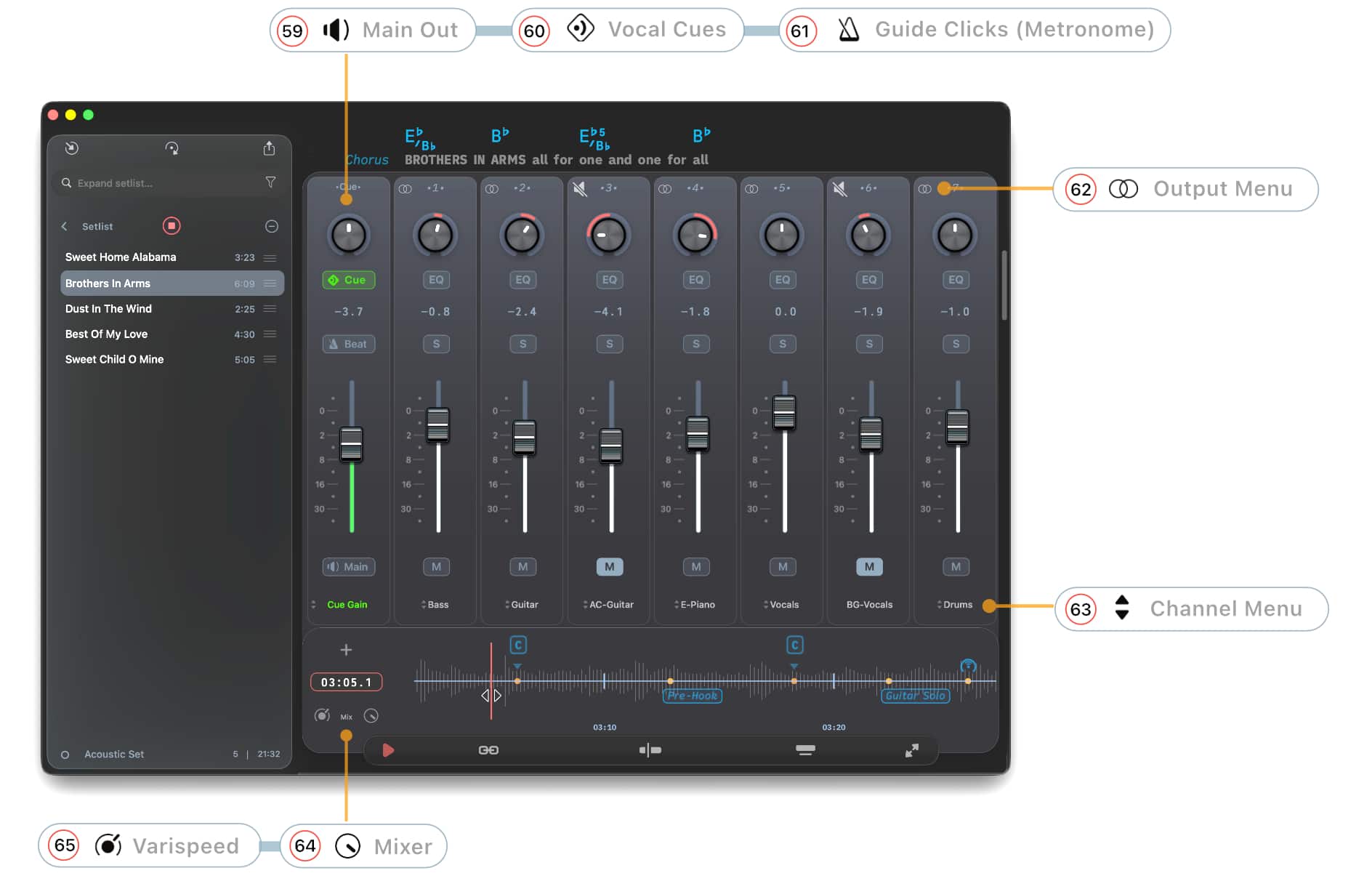
Audio Mixer
Library Menu & Circle of Fifths
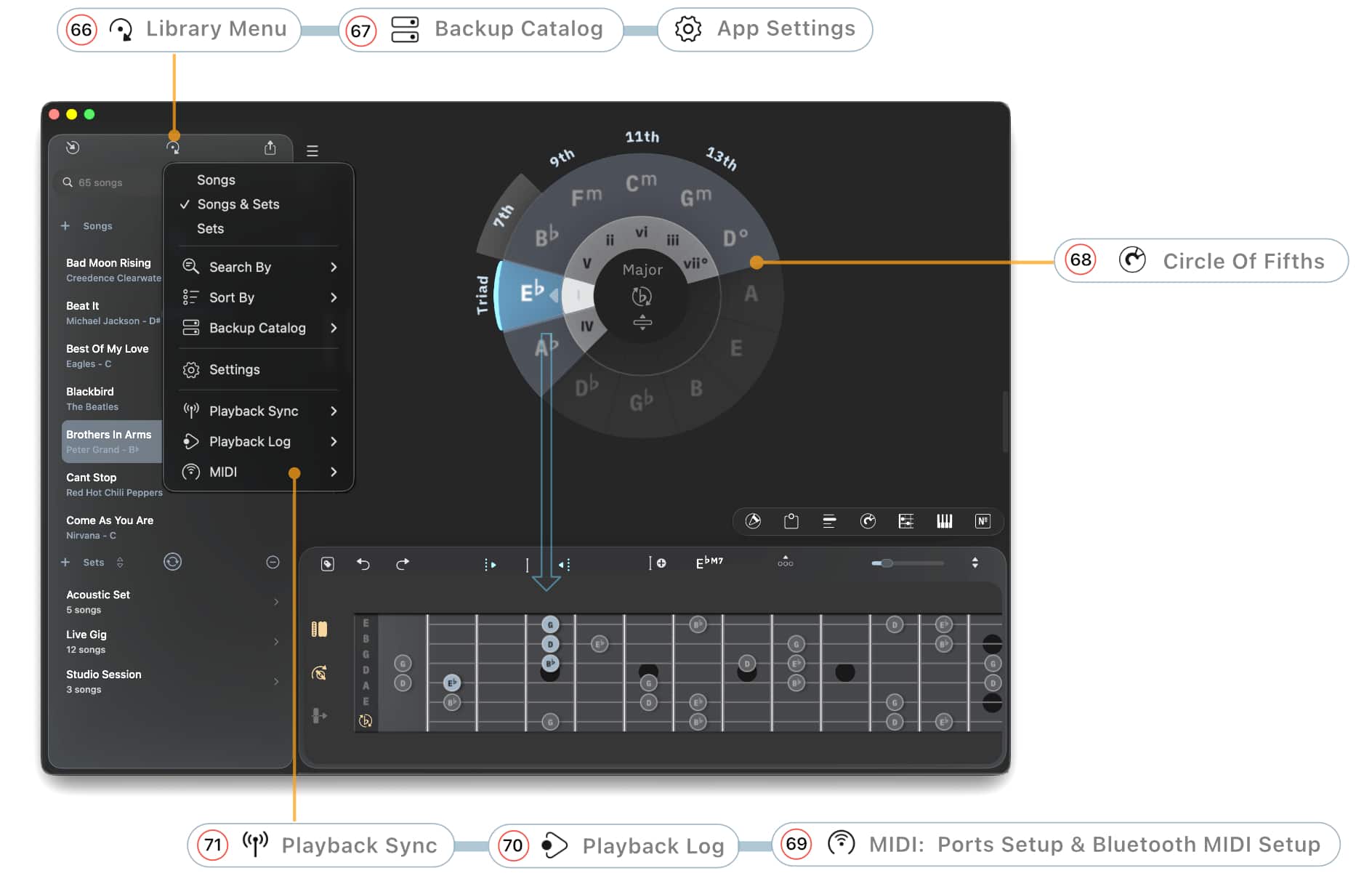
66) Library Menu: Search Field (Search By), Sort
68) Circle of Fifths
69) MIDI Ports
70) Playback Log
71) Playback Sync