MANAGING YOUR CATALOG
Email Songs & Sets
The Songs app can generate an email and attach the song or the set that you have selected in your library.
By default songs are emailed locked with 'Limited Access'. To forward your own songs unlocked without limitations go to the Songs app’s settings/preferences and make the desired selection in the 'Rights' category.

|
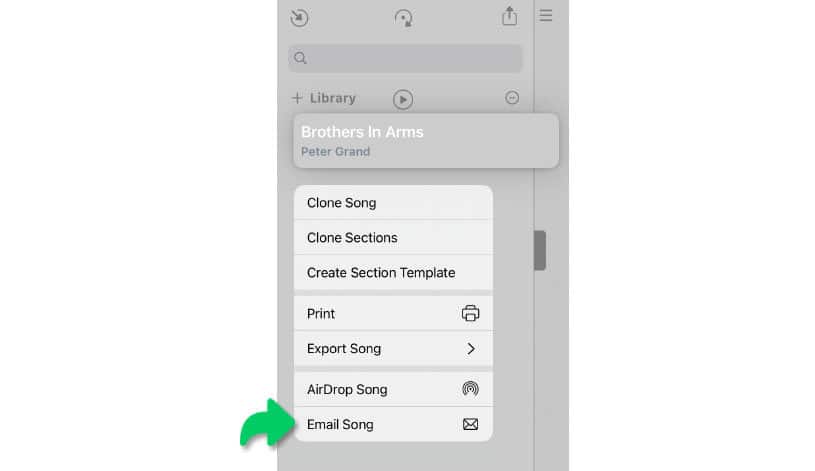
To generate an email select the song (or the set) from your library with a long tap / right click / two finger tap. |

A pop-up menu appears:
|
|
Select 'Email Song' (or 'Email Set') from the pop-up menu. |
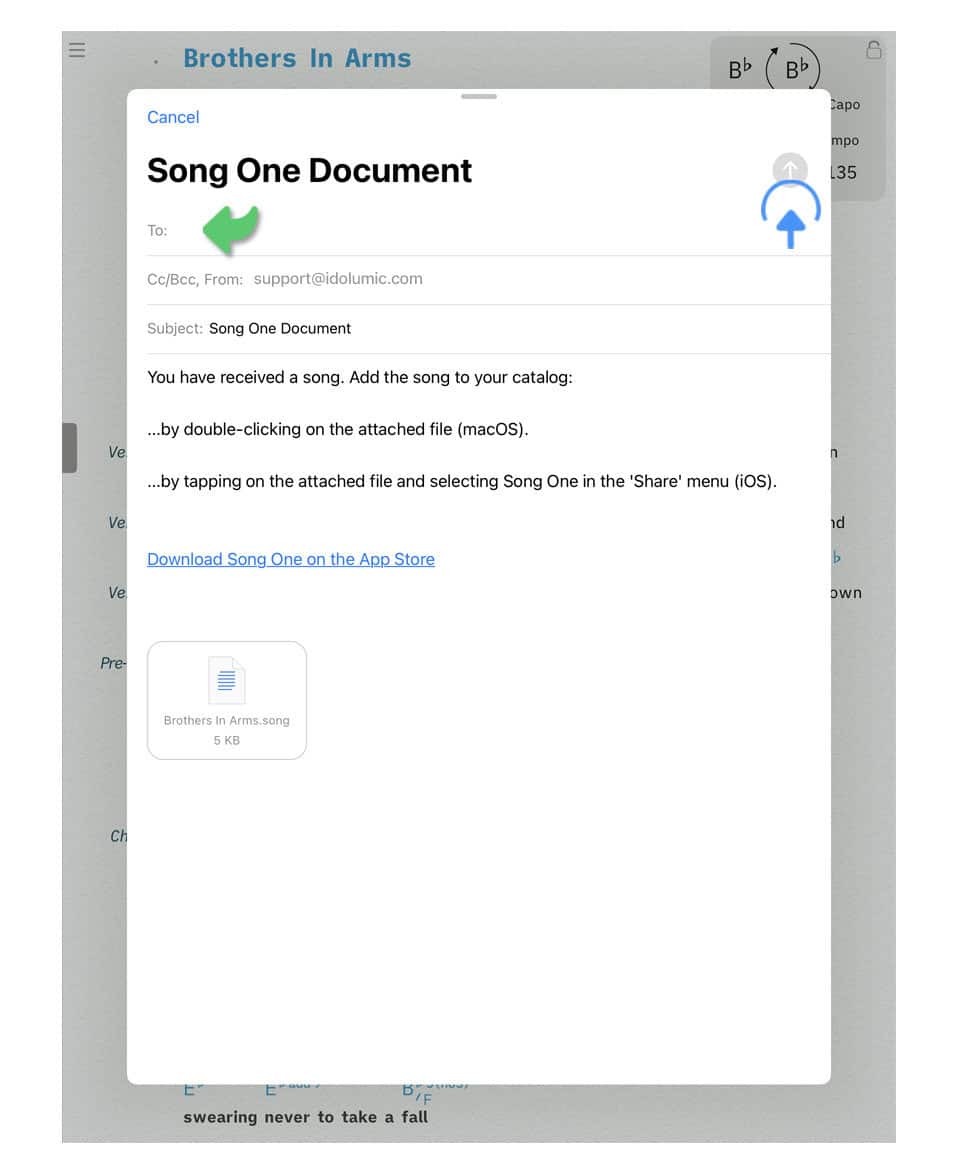
A pop-up window appears with a preview of the email:
|
|
Enter the recipient’s email address and tap/click on the send button. This will queue the email in the outbox of Apple’s 'Mail' app. |
-
The selected song (or set) is automatically attached to the email. The subject and the body of the email can be customized.
-
The Songs app only generates the email. Apple’s 'Mail' app is responsible for delivering the email to the recipient.