EXPLORING CHORDS
Capo
A capo clamps down the strings of a string instrument at a specific fret position. A capo is used…
-
to change the pitch of an instrument to match the vocal range of a singer.
-
to overdub the sound of a chord during recording sessions by playing the same chord at different fret positions.
-
to free your index finger when playing advanced barre chords.
Chord Shapes
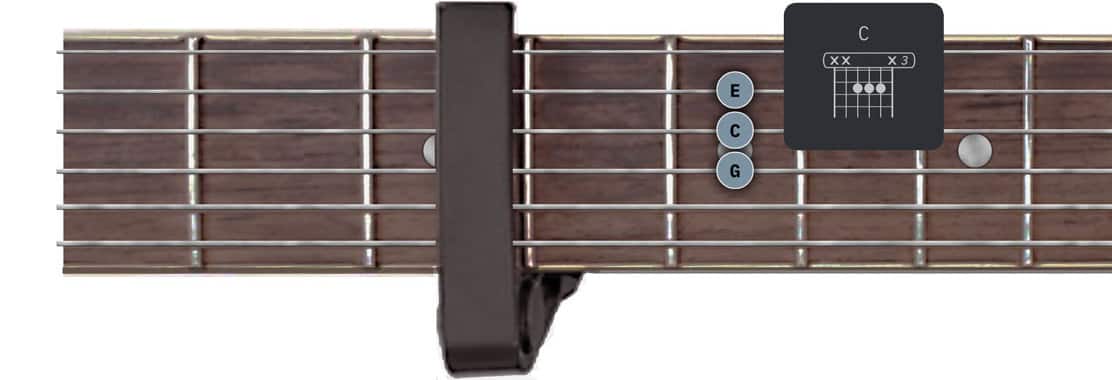
The capo increases the pitch of your instrument. When a capo is placed at the 3rd fret of your instrument the chord shape of an A major chord will produce the sound of a C major chord:

Playing the chord diagrams on a higher pitched instrument (i.e. with a capo) means that the entire song will be played in a higher key. If you want to learn how to play the song in the original key while keeping the capo, you need to update the chord diagrams. in the Songs app you have two options:
-
Option A - Add the virtual capo to the Songs app’s virtual fretboard (see below).
-
Option B - Use key transposition (see below).
Option A - Adding The Virtual Capo

|
Tap on the capo icon at the bottom left of the screen and select the capo position in the pop-up menu (e.g the 3rd fret). |

The Songs app automatically adjusts the tuning of the virtual fretboard and updates all chord diagrams of the song:
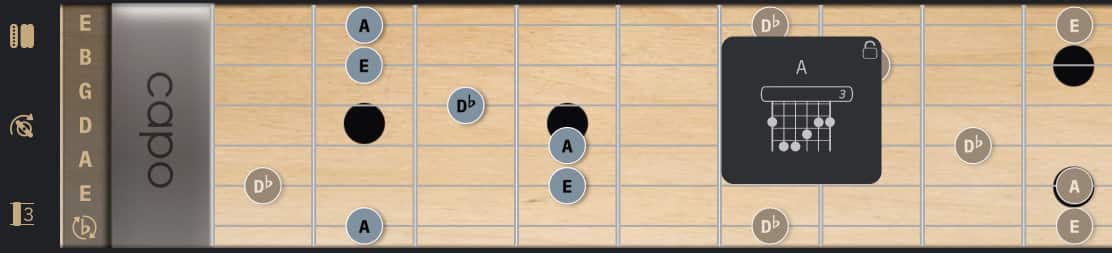
The A major chord now shows the chord shape that will produce the sound of an A major chord (with the capo at the 3rd fret position).
Option B - Using Key Transposition
The chord diagrams may also be updated by transposing the song.
This approach is used by apps that rely on pre-defined chord diagrams like OnSong. The method produces the correct chord shapes but has a few shortcomings (see image).
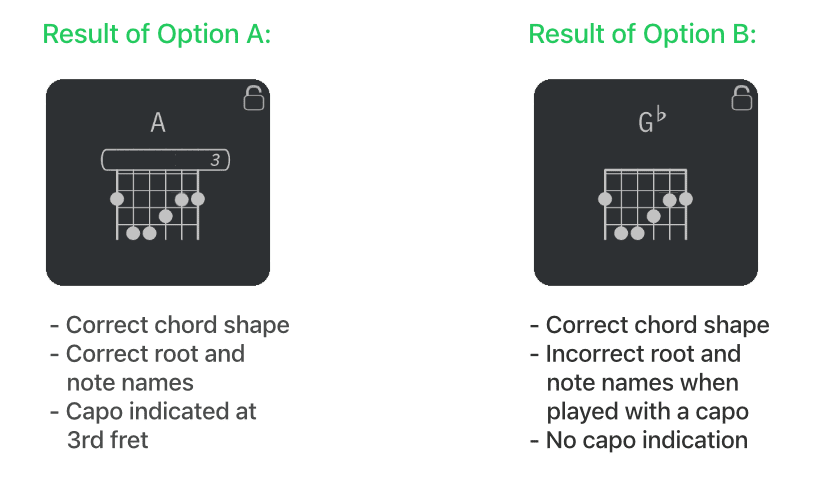
This makes it a less desirable option to use in the Songs app. To use it nonetheless:
|
|
Tap/Click on the power button next to 'Capo' to disable the virtual capo and select 'Use Key Transposition'. |
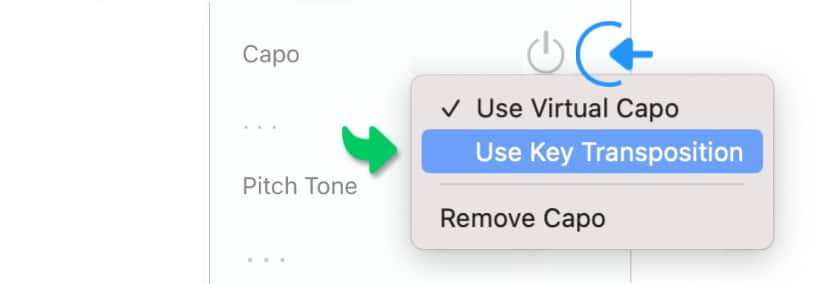
|
|
Enter the capo position into the 'Capo' field of the song info panel. |
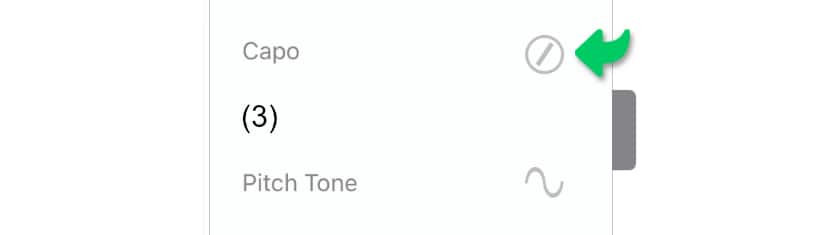

|
Easily add songs with capo based chord shapes via the 'Add to Song' action extension: Specify the capo position and click/tap on the 'Import' button to have the song’s original and transposed key identified automatically. See Add to Songs Action Extension to learn more |
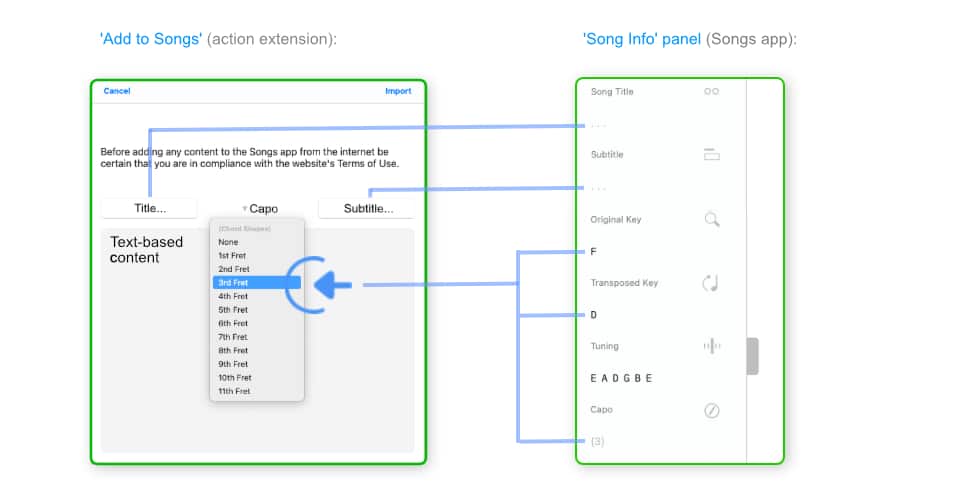
Overdubbing Chords
|
|
To overdub chords during recording sessions record the chords without a capo first: |
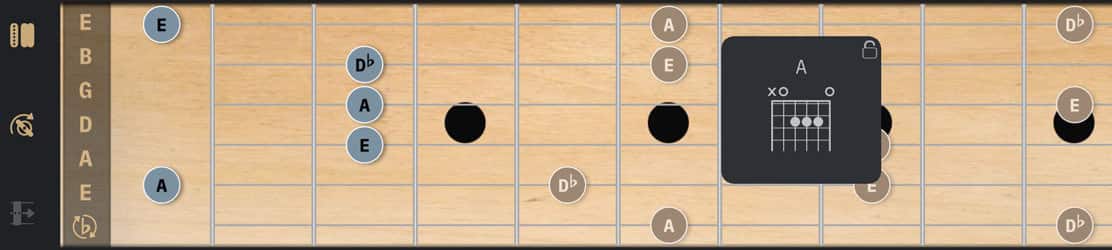
|
|
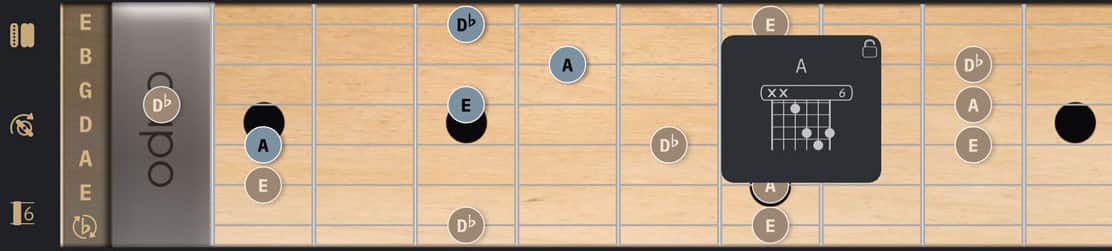
Then place a capo on your actual instrument and add a virtual capo to the Songs app’s virtual fretboard. |
The Songs app automatically adjusts the fretboard’s tuning and updates the song’s chord diagrams.
-
As an example place the capo at the 6th fret position to record a brighter and lighter sounding A major chord:
Playing Barre Chords
|
|
Make barre chords easier to play by placing a capo on your actual instrument at the postion of the index finger. Add a virtual capo to the Songs app’s virtual fretboard at the same position. |
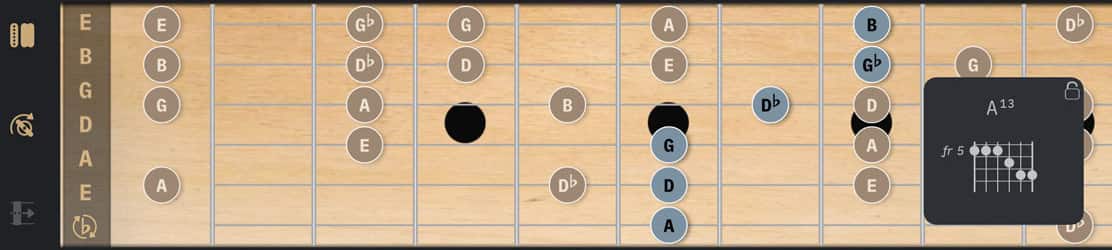
The Songs app automatically adjusts the fretboard’s tuning and updates the song’s chord diagrams.