EDITING SONGS
Section Labels
Section labels are used to identify the individual parts of a song (e.g. 'Intro', 'Chorus’).
Adding section labels to the lyrics allows you to
-
…format a song section in a particular way (via 'Themes'),
-
…adjust the scrolling speed of individual sections (via 'Timeline' markers) when 'Auto-Scroll' is enabled,
-
…or specify which song sections are displayed during playback when 'Page Flip' is enabled.
Section labels are automatically added when importing songs in ChordPro format or whenever imported lyrics include common paragraph headers (e.g. 'Intro', 'Verse1', 'Chorus').

|
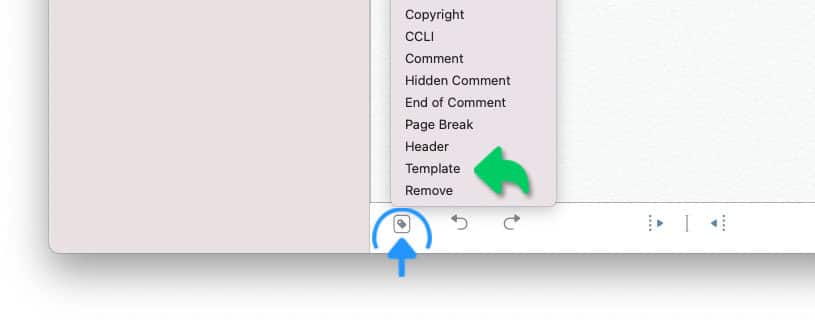
To add a missing section label (or replace an existing one) place the cursor anywhere in the specific line. Tap/Click on the tag icon located in the left corner of the bottom toolbar and make a selection from the label pop-up menu. |
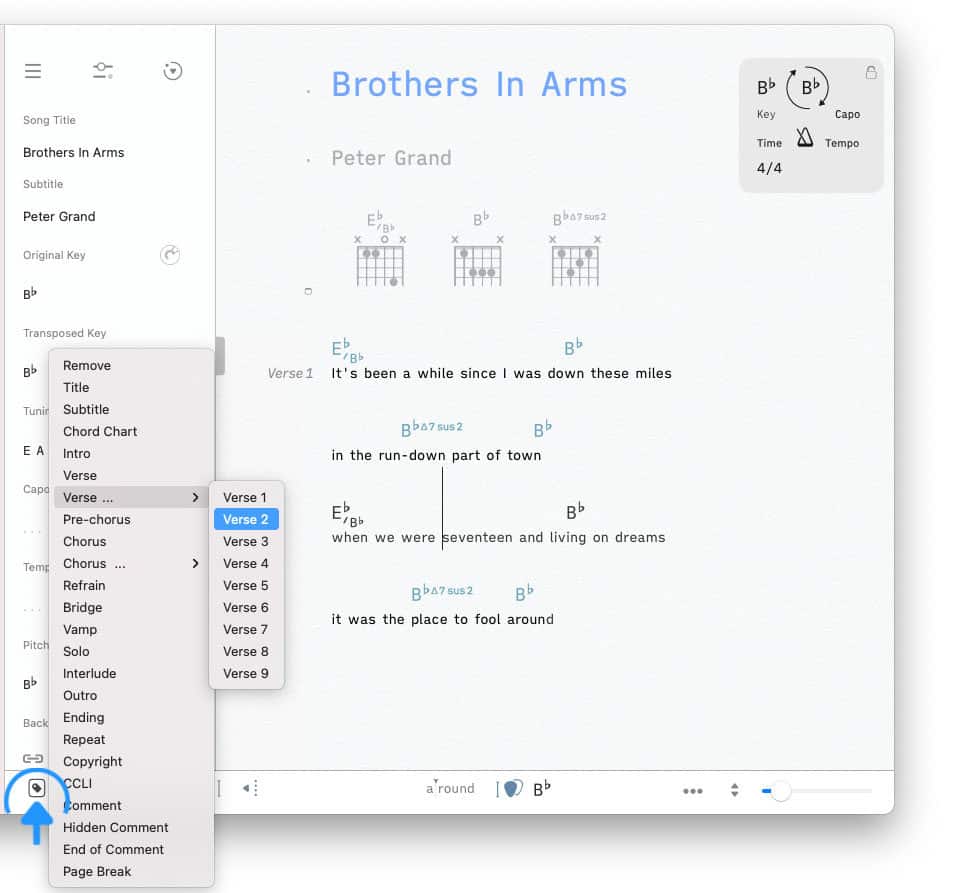
the Songs app places section labels to the left of the lyrics. An exception is the 'Chord Chart' tag, which places an automatically updating chord chart within the lyrics. (See Chord Diagrams to learn more.)
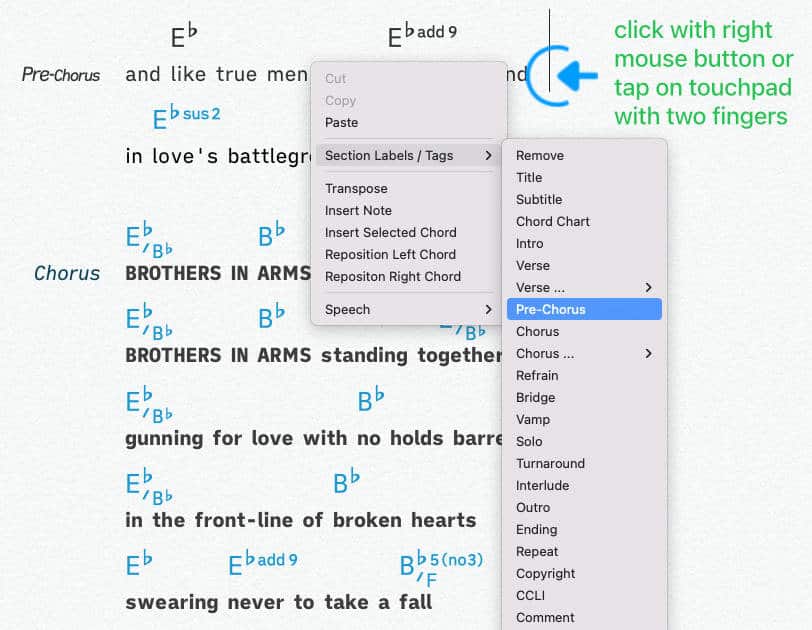
On macOS you may also edit the section labels with the help of the song editor’s context menu:
|
|
Move the cursor to the corresponding text line and click the right mouse button or tap on the touchpad of your Macbook with two fingers. |
-
The 'Header' label adds a 'Title' and 'Subtitle' section to the lyrics (including the titles entered into the song info panel).
-
Add standard section labels to instrumental sections and have them auto-aligned with chord symbols when inserted.
-
When using the Songs app on an iPhone the section labels are displayed as icons instead of text to save space.
|
|
Remove a section label by placing the cursor within the specifc line and select 'Remove' from the label (tag) pop-up menu. |
Song section labels may also be added by typing an abbreviation code into the song editor.
|
|
Type one of the following abbreviation anywhere in the current line. A section label/tag is added as soon as the plus sign is entered: |
ti+ |
Title |
su+ |
Subtitle |
cc+ |
Chord Chart |
in+ |
Intro |
ve+ |
Verse |
ve1+ |
Verse 1 |
ve2+ |
Verse 2 |
ve3+ |
Verse 3 |
ve4+ |
Verse 4 |
ve5+ |
Verse 5 |
ve6+ |
Verse 6 |
ve7+ |
Verse 7 |
ve8+ |
Verse 8 |
ve9+ |
Verse 9 |
pr+ |
Pre-Chorus |
po+ |
Post-Chorus |
ch+ |
Chorus |
ch1+ |
Chorus 1 |
ch2+ |
Chorus 2 |
ch3+ |
Chorus 3 |
ch4+ |
Chorus 4 |
re+ |
Refrain |
br+ |
Bridge |
va+ |
Vamp |
so+ |
Solo |
tu+ |
Turnaround |
ie+ |
Interlude |
ou+ |
Outro |
en+ |
Ending |
re+ |
Repeat |
cr+ |
Copyright |
ci+ |
CCLI |
co+ |
Comment |
hi+ |
Hidden Comment |
ec+ |
End of Comment |
pa+ |
Page Break |
he+ |
Header |
ta+ |
Tab |
Section Template
A section template is a saved copy of all section labels of a song. Use the section template as a frequently used model to structure and format a new song.
|
|
To create a template select a song from your library with a long tap / right click / two finger tap. |
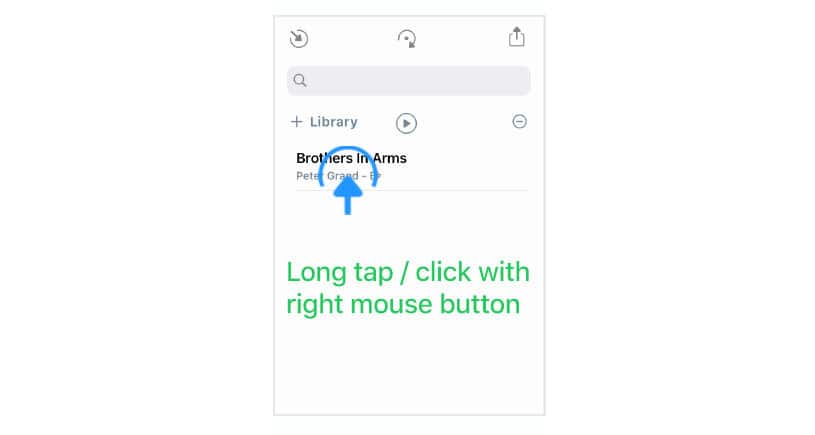
A pop-up menu appears:
|
|
Tap/Click on 'Create Section Template' to copy all section labels of the selected song into the Songs app’s section template. |

To apply the section template…
|
|
create a new song, |
|
|
tap/click on the tag icon located in the left corner of the bottom toolbar, |
|
|
select 'Template' from the section label (tag) pop-up menu. |