IMPORTING CONTENT
Text-Based Files
The Songs app can import text-based files in a variety of formats, including:
-
OnSong, SongSheet Pro and similar chord sheet editors
-
ChordPro-formatted files
-
Word processor files saved in RTF (rich text format) ot TXT (simple text format)
-
Any text copied to your device’s clipboard
Files saved in the Microsoft Word format cannot be imported directly. You have two options to import Microsoft Word documents:
Option A: Open the document in Microsoft Word and export it in the RTF format and use the Songs app’s 'Import File' menu option.
Note: Before exporting the document make sure that…
-
the space between the chord symbols above the lyrics was created with the space bar instead of the tab key (otherwise the chords will not align correctly in the Songs app)
-
and you have formatted the entire document in a monospace font (to ensure that the space characters have the same width as all the other characters).
Option B (macOS): Open the Microsoft Word document in Apple’s 'TextEdit' app, select the entire text and copy it to your computer clipboard. Then use the Songs app’s 'Import Clipboard' menu option to add the copied text to your song catalog.
Note: Before copying the song to your clipboard make sure that…
-
the space between the chord symbols above the lyrics was created with the space bar instead of the tab key (otherwise the chords will not align correctly in the Songs app)
-
and you have formatted the entire document in a monospace font (to ensure that the space characters have the same width as all the other characters).

|
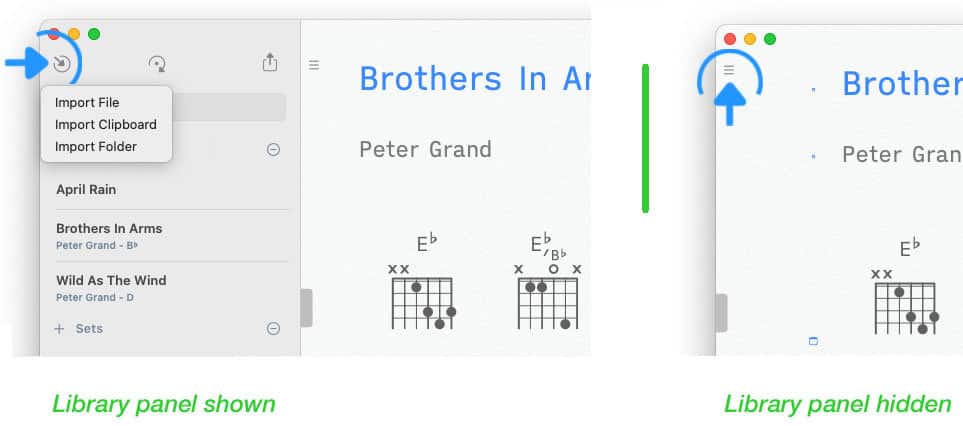
To import a song tap/click on the inward pointing arrow in the upper left corner of the Songs app’s main window. |
If the library panel is not visible tap/click on the three lines in the upper left corner of the screen.
|
|
Select 'Import File' from the pop-up menu. A file browser will appear to allow you to select the appropriate file. |
Imported text-based documents are automatically transformed into the Songs format. The chord diagrams of the original document are replaced with a set of diagrams created by the Songs app in the specified tuning. (See Virtual Fretboard to learn more.)
The Songs app will auto-format and auto-space the identified chords (square brackets are removed). Non-standard chord symbols will be corrected whenever possible.
Common paragraph headers like 'Intro', 'Verse' and 'Chorus' are converted to labels. The format of the selected theme is applied to identified sections. Metadata included in the original document are transferred to the song info panel.
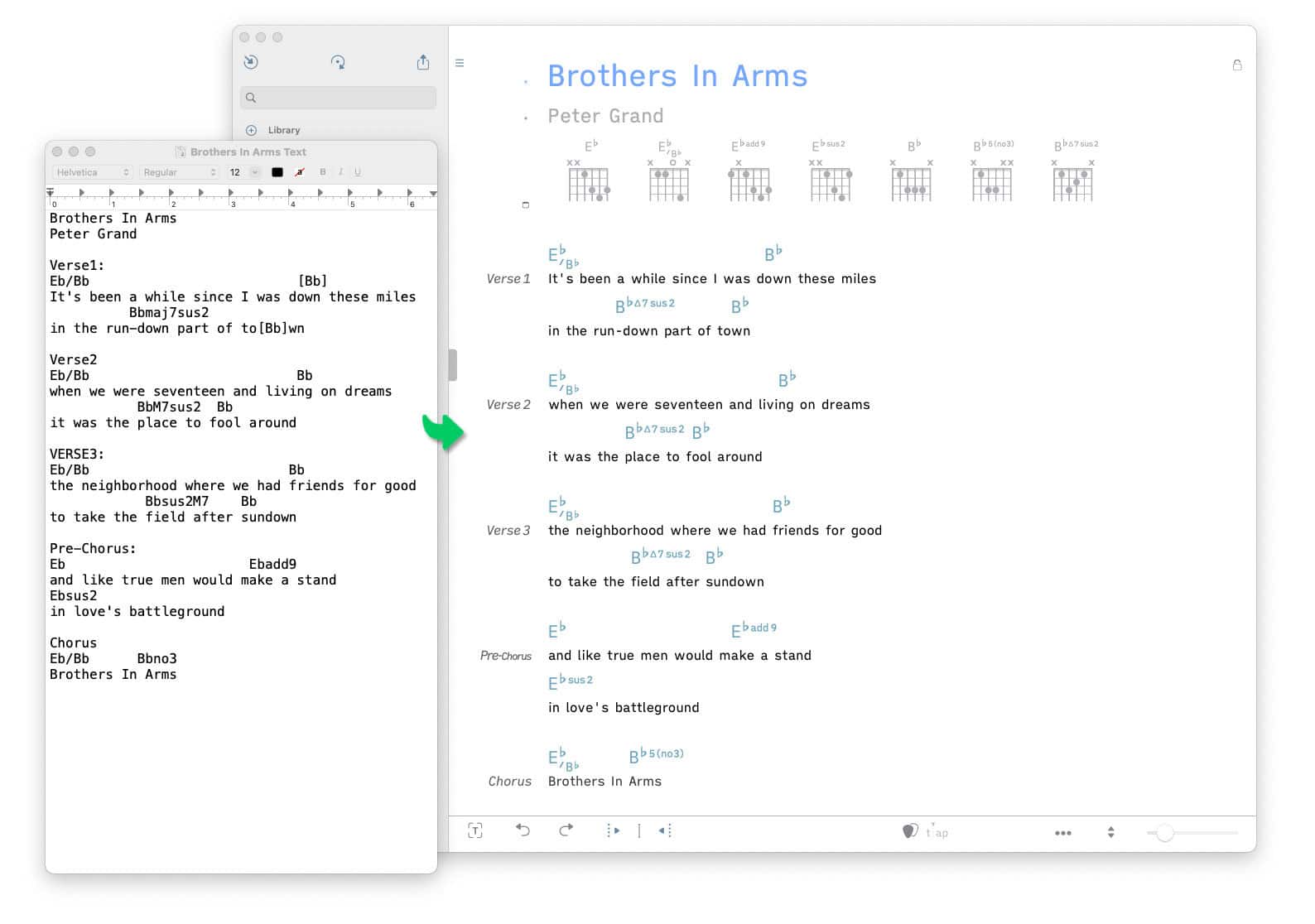
When chord sheets are created with a standard word processor the chords are generally placed on a separate line above the lyrics line and multiple single spaces are used to position the chords. This can lead to misalignments of chords during import if the original document does not use a mono-spaced font. Improper positioning of chords can also occur when tabs are used instead of single spaces.

|
Use the reposition buttons in the Songs app’s bottom toolbar to fix misalignments after the import is complete. (See Song Editor to learn more.) |