EDITING SONGS
Cloning Songs & Sections
Cloning Songs
When you clone a song you create an exact copy of it with a different universally unique identifier ('UUID'). Clone a song to customize a copy of it for a specific performance without changing the original version.

|
Select a song from your library with a long tap / right click / two finger tap. |
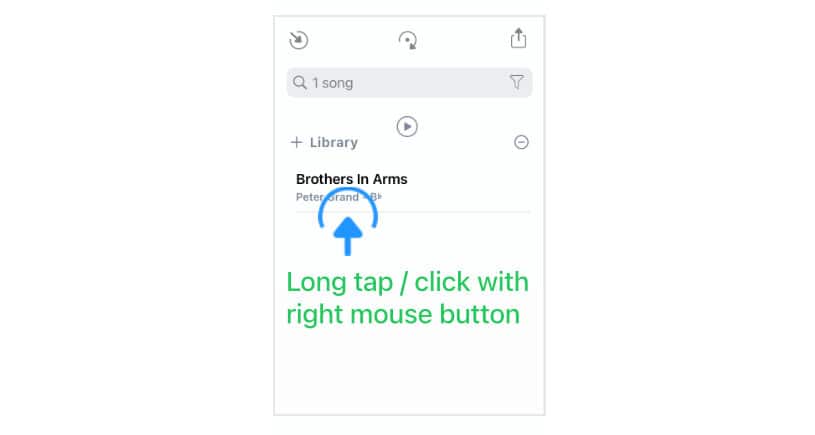
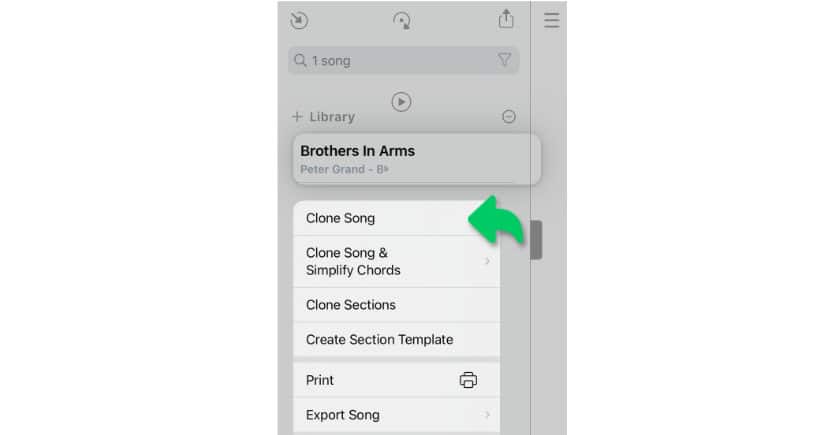
A pop-up menu appears:
|
|
Tap/Click on 'Clone Song' to create a new copy of the selected song. |
Note: When a song is added to a setlist the Songs app creates a link to its UUID:
-
If you change the title of the song all setlists that include the song will be automatically updated with the new title.
-
When a song is deleted from the library its song title will be removed from all setlists.
Cloning Sections
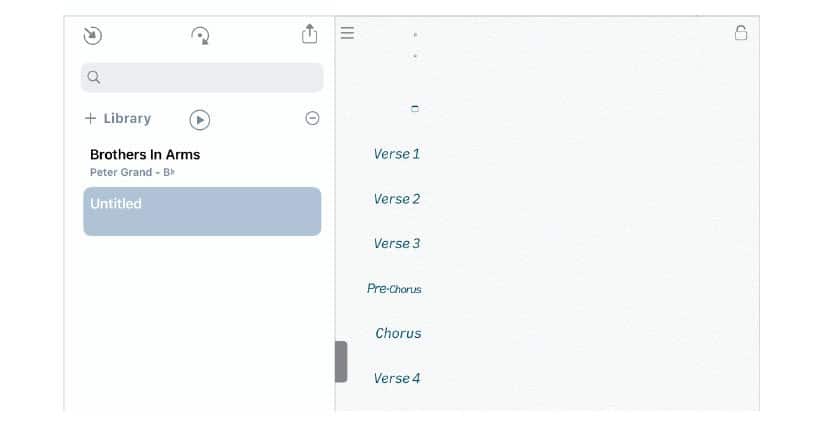
Clone the sections of an existing song to copy the song’s format and structure to create a new song.
|
|
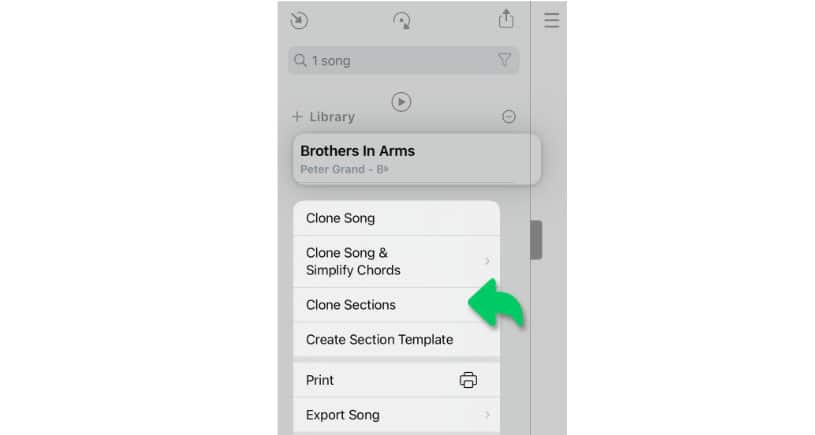
Select a song from your library with a long tap / right click / two finger tap. |
A pop-up menu appears:
|
|
Tap/Click on 'Clone Sections' to create a new song with a copy of all section labels. |
Simplifying Chords
To make a song easier to play the Songs app can auto-create a clone with simplified chord symbols and diagrams:
|
|
Select a song from your library with a long tap / right click / two finger tap. |
A pop-up menu appears:
|
|
Tap/Click on 'Clone Song & Simplify Chords' and select one of three following options to auto-create a new version of the song (that is easier to play): |
-
Select 'Novice' to create a simplified chart limited to major and minor chords.
-
Select 'Advanced Beginner' to create a simplified chord chart limited to major, minor and slash chords.
-
Select 'Competent' to create a simplified chord chart limited to major, minor, slash and seventh chords.
Note: All three options automatically simplify chords with extensions.


|
The key of the simplified clone is automatically determined by the Songs app. |