IMPORTING CONTENT
Importing Folders
Use the 'Import Folder' option to add a collection of songs to your song catalog. The Songs app examines all PDF and text files in the selected folder (including its subfolders) and imports them.

|
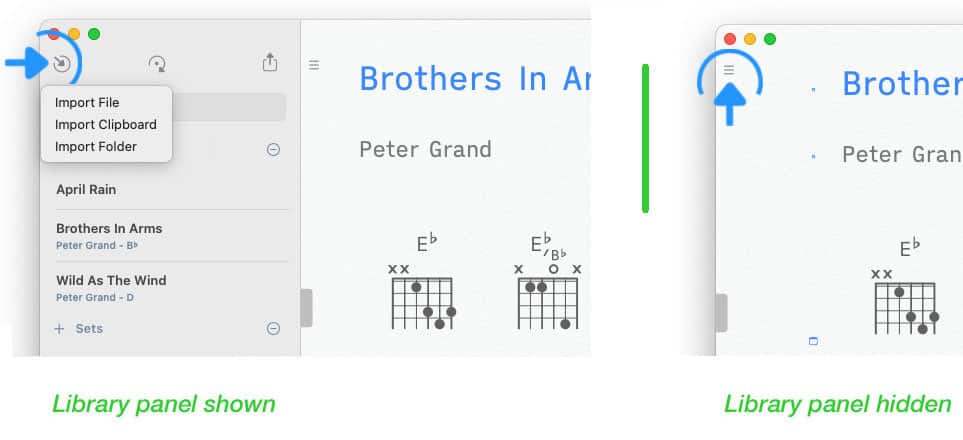
To import a folder tap/click on the inward pointing arrow in the upper left corner of the Songs app’s main window. |
If the library panel is not visible tap/click on the three lines in the upper left corner of the screen.
|
|
Choose 'Import Folder' in the pop-up menu and select the folder containing your songs. |
See Text-Based Files and PDF Files to learn how added songs are transformed.