IMPORTING CONTENT
ChordPro
A ChordPro file is a simple text with certain formatting guidelines. It is often used to exchange song sheets between different apps and to publish content on websites. The file format was introduced in 1992 and can have a number of extensions (.cho, .crd, .chopro, .chordpro, .chord, .pro, .cpm, .txt). It allows the formatting of lyrics, chords, chord diagrams and metadata.
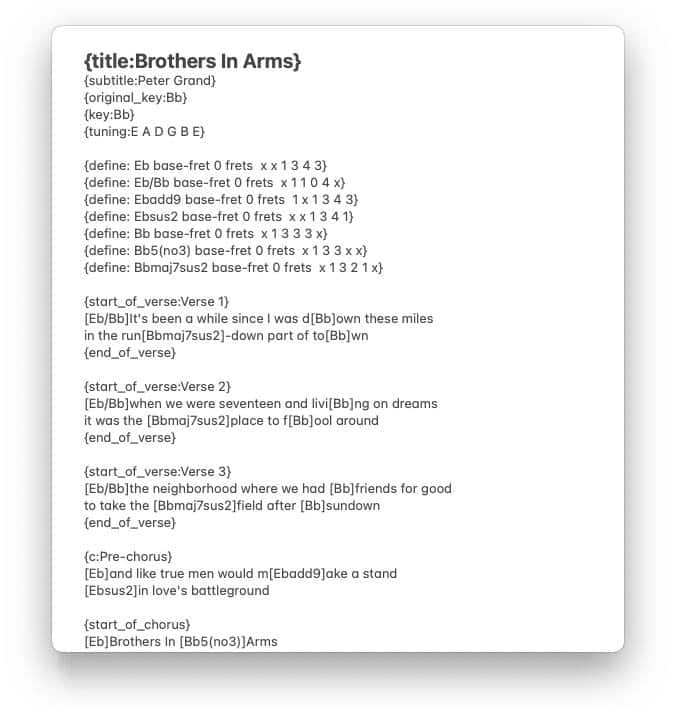
Website content in the ChordPro format can be imported via the 'Add to Songs Action Extension'.
Import ChordPro Files

|
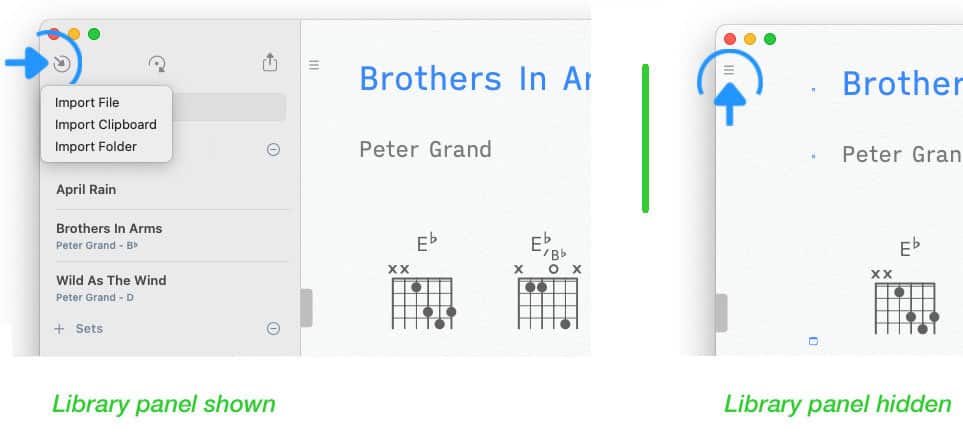
To import a ChordPro file click/tap on the inward pointing arrow in the upper left corner of the library panel. |
If the library panel is not visible tap/click on the three lines in the upper left corner of the Songs app’s main window.
|
|
Select 'Import File' from the pop-up menu. A file browser will appear to allow you to select the appropriate file. |
ChordPro files are automatically transformed into the Songs format when imported. The chord diagrams of the original document are replaced with a set of diagrams created by the Songs app in the specified tuning.
The Songs app will auto-format and auto-space the identified chords (square brackets are removed). Non-standard chord symbols will be corrected whenever possible.
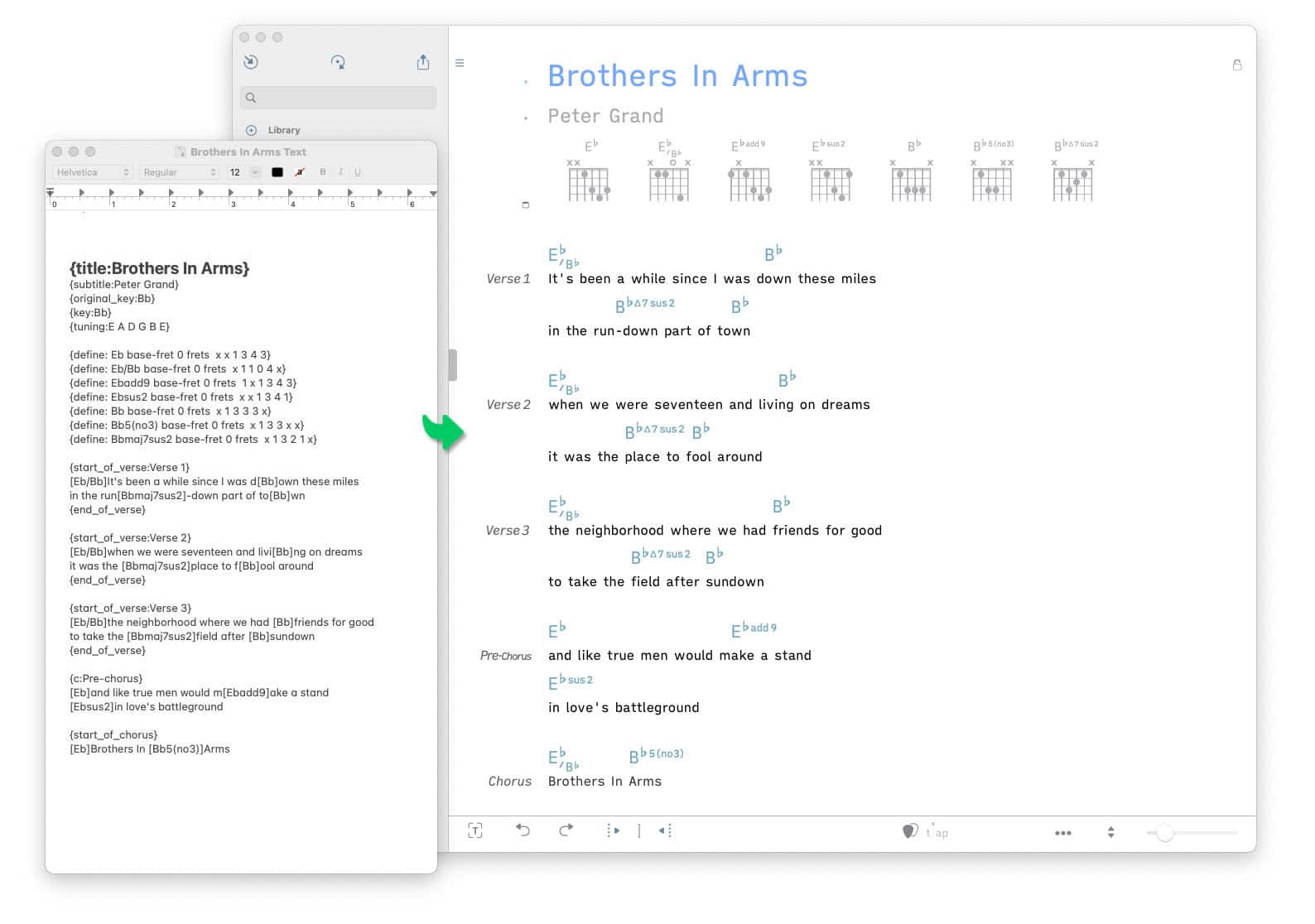
ChordPro uses 'directives' to define sections and metadata. The Songs app converts directives such as 'start_of_verse' and 'start_of_chorus' to labels (e.g. 'Verse', 'Chorus'). The Songs app’s themes are automatically applied to the labeled sections. The following metadata are transferred to the Songs app’s 'Song Info' panel:
-
album
-
arranger
-
artist
-
author
-
capo
-
category
-
ccli (license number issued by Christian Copyright Licensing International®)
-
composer
-
copyright
-
duration (song duration in minutes and seconds)
-
key
-
keywords
-
lyricist
-
number ('label/no')
-
original key
-
pitch tone (notes to be played by a pitch pipe)
-
rating
-
subdivision
-
subtitle (short: st - commonly used to specify the artist’s name)
-
tempo (the song’s tempo is specified in beats per minute/BPM)
-
time (the song’s time signature)
-
title (short: t)
-
topic
-
tuning
-
year

Note: The following ChordPro directives are ignored during import: images, chord diagrams, tap sections, grid sections, columns, fonts, text sizes and colors.