PRACTICING & PERFORMING
Transposing Songs
The Songs app offers you two options to transpose a song and automatically update its chord symbols and chord diagrams:
-
A 'Quick-Transpose' pop-up menu enables you to transpose a song by specifying an interval (the number of half-steps) above or below the current key.
-
A 'Chromatic Circle' enables you to transpose a song by selecting a specific key. It also allows you to switch between parallel minor and major keys and change the accidentals ('#' / 'b') of the chord symbols.
You may manually type in the values of the 'Original Key' and 'Transposed Key' of a song in the song info panel. This will change the key without transposing the song’s chord symbols and chord chart. (See Original & Transposed Key to learn more.)
Quick-Transpose
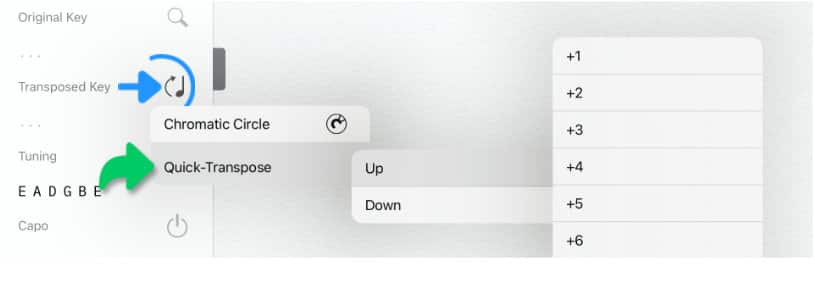
The quick-transpose pop-up menu to specify the desired interval is accessible in the Song Info panel.

|
Quick-transpose the selected song by tapping/clicking on the transpose icon in the song info panel (next to 'Transpose Key') and making a selection from the pop-up menu. |
Chromatic Circle
The chromatic circle can be accessed in three ways:
|
|
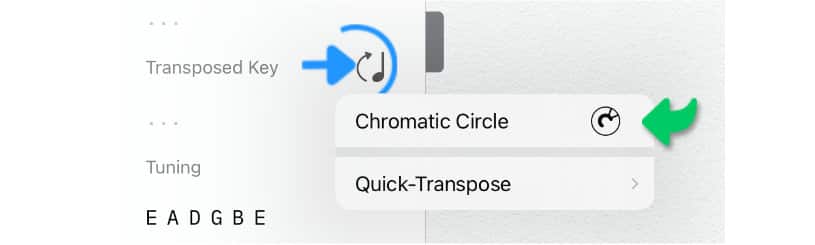
Option 1: Tap/Click on the transpose icon in the song info panel (next to 'Transpose Key') and select 'Chromatic Circle' from the pop-up menu. |
|
|
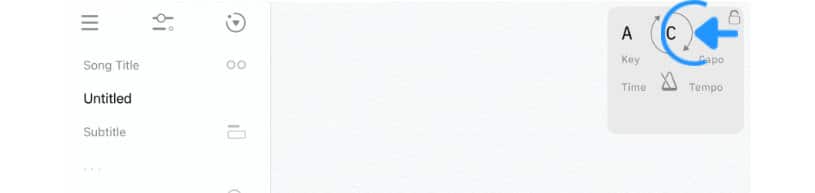
Option 2: Tap/Click on the round arrows of the song info pop-up. (The song info pop-up appears when the song’s scrolling position is at its beginning.) |
|
|
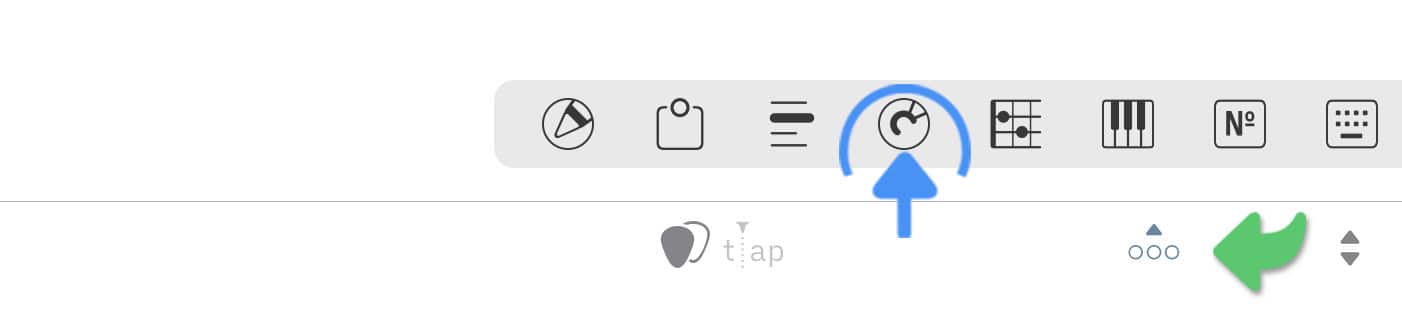
Option 3: Tap/Click on the circle icon of the docked toolbar. (If the docked toolbar is not visible tap/click on the three dots in the right corner of the bottom toolbar.) |
A circle will appear:
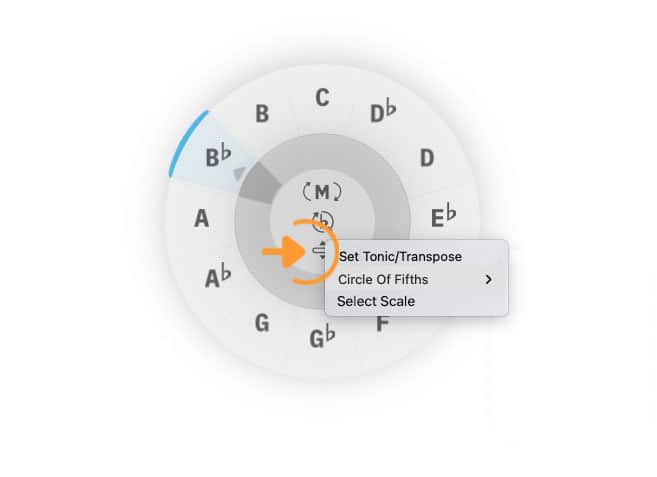
The circle has a menu icon in its center to access a pop-up menu with the following options:
-
'Set Tonic/Transpose' (set and change the key of the song)
-
'Circle Of Fifths' (analyze chord progressions and build harmonic fields)
-
'Select Scale' (explore scales on the virtual fretboard or keyboard)
|
|
Select 'Set Tonic/Transpose' in the pop-up menu. |

If you wish to set the tonic (original key) of the song:
|
|
Tap/Click (and holding) the lower area of the inner ring (indicated by the orange dot), drag the selection arrow under the desired note |

|
If you wish to transpose the song tap/click on the desired note in the outer ring. |
The Songs app automatically switches between flat or sharp accidentals when the key signature changes during song tranpositions:
|
|
Tap/Click on the accidental sign in the center of the circle to toggle between the sharp ('#') and flat ('b') transcriptions. |
Note: The accidental sign is automatically greyed out when the selected key signature requires the use of a specific accidental sign.
|
|
Tap/Click on the 'M'/'m' button inside the chromatic circle to change between parallel major and minor keys. |
Transposing PDFs
Songs in the PDF format cannot be transposed (the chromatic circle cannot be accessed).
|
|
Convert PDF documents into the native Songs format to enable the transposition feature. (See import PDF Files to learn more.) |