COMPOSING & WRITING
Clipboard
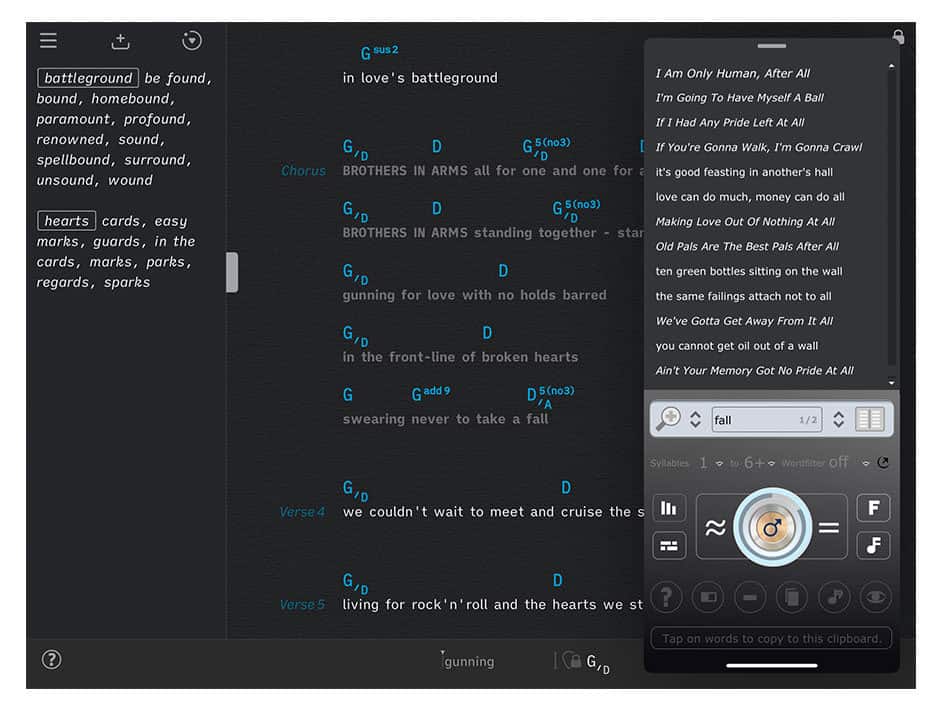
The Songs app’s clipboard works with the stand-alone version of Rhyme Genie. It allows you to save a history of search words and corresponding rhyme mates that you have collected in Rhyme Genie’s clipboard.
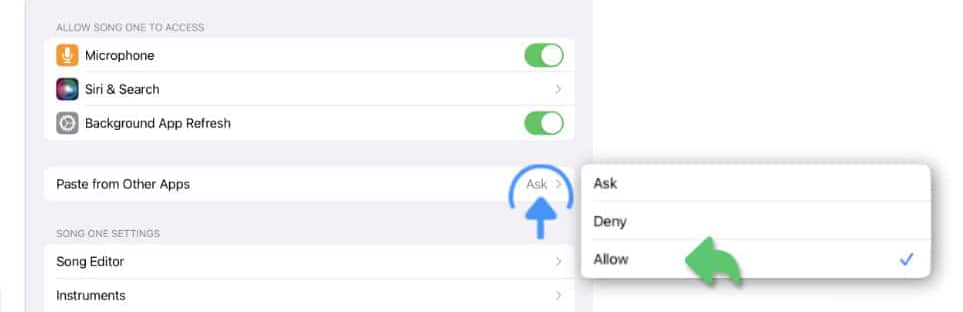
iOS 16 displays a dialog to ask for permission to paste content from another app. Allow the Songs app and Rhyme Genie to 'Paste from Other Apps' in the iOS 'Settings' app. (Note: This option only appears for apps that have previously asked for permission to paste content.)
The Songs app’s Clipboard

|
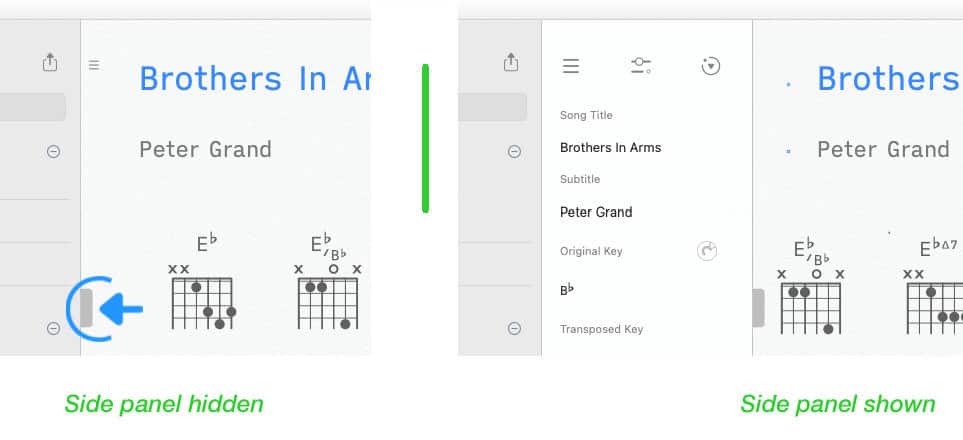
Access the Songs app’s clipboard in the side panel. |
If the side panel is not visible tap/click on the vertical mark at the left side of the screen.
|
|
Tap/Click on the icon in the upper right corner of the side panel and select 'Clipboard' from the pop-up menu. |

Rhyme Genie’s Clipboard
|
|
Enter a word in Rhyme Genie’s search field and tap/click on the desired rhyme mates to add them to Rhyme Genie’s clipboard. |
Consult Rhyme Genie’s user guide to learn more.


|
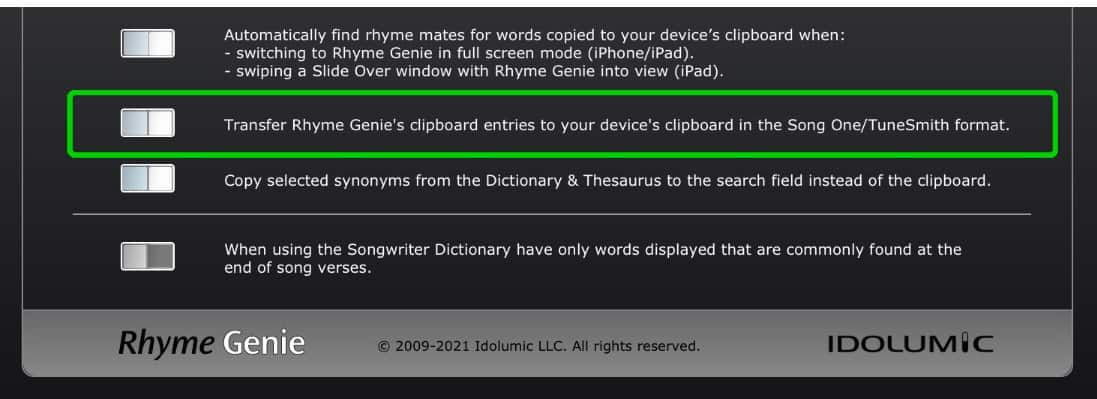
Rhyme Genie’s clipboard option to copy entries in the Songs/TuneSmith format must be active. Go to Rhyme Genie’s setup screen to make the appropriate selection |
Transferring Rhymes
Copy Rhyme Genie’s clipboard entries to the Songs app’s rhyme clipboard by…
|
|
… (a) tapping/clicking on the button to the right of Rhyme Genie’s clipboard, |

|
|
… (b) tapping/clicking on the clipboard '+' icon at the top of the Songs app’s side panel. |
The collected rhyme mates will appear in the Songs app’s clipboard. The search word will be framed:

You may delete a specific search word and all of its rhyme mates when they are no longer needed:
|
|
Tap/Click on the framed search word. |
A cancel symbol appears:

|
|
Tap/click on this symbol to delete the rhymes from the Songs app’s clipboard. |
When using Rhyme Genie you may look up numerous search words in one session.
-
The Songs app will automatically group the collected rhyme mates together with the appropriate search word when the rhymes are transferred.
Slide Over Window
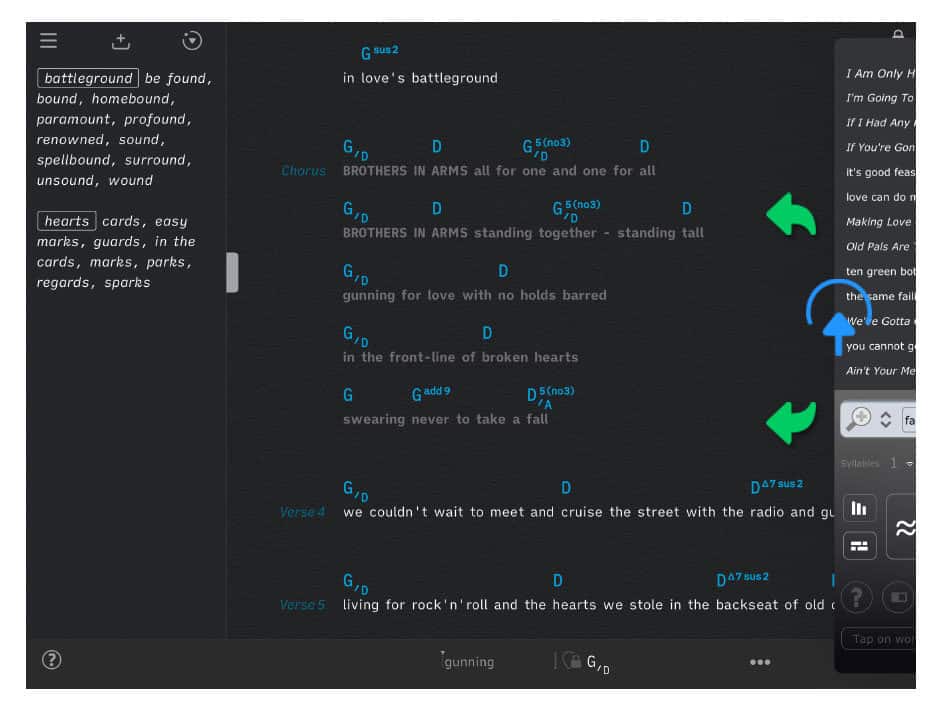
The iPad version of Rhyme Genie (10.2.1 or higher) can be minimized and swiped in and out of view in a Slide Over window. This enables you to quickly look up rhyme mates when using the Songs app. (See Slide Over Window in Rhyme Genie’s user guide to learn more.)
|
|
Rhyme Genie instantly looks up rhyme mates for words copied to your device’s clipboard when sliding into view. |
You may enable/disable this features in Rhyme Genie’s setup screen.