EXPLORING CHORDS
Chord Matrix
The chord matrix allows you to create over 200 different chord types. Add created chords to the lyrics or autoplay and view their notes on the virtual keyboard and fretboard.

|
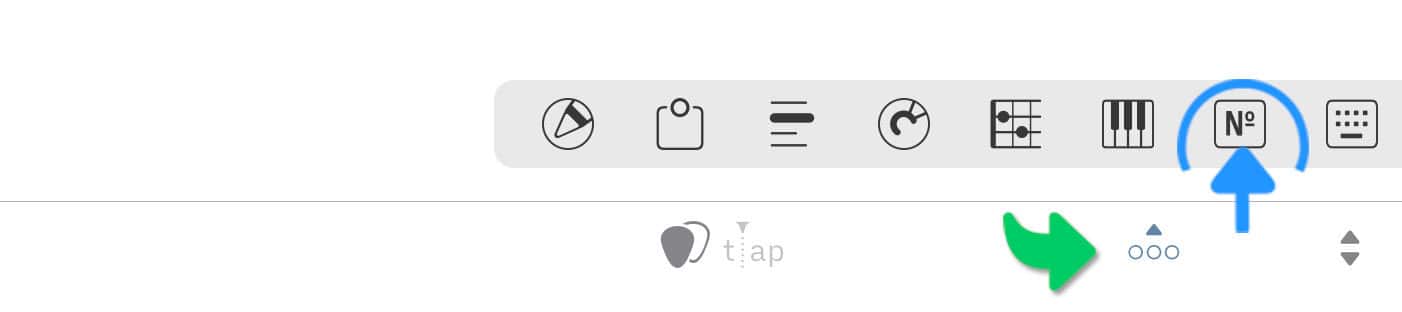
Access the chord matrix by tapping/clicking on the number icon of the docked toolbar. |
If the docked toolbar is not visible tap/click on the three dots in the right corner of the bottom toolbar.
Creating Chords
|
|
Tap/Click on the appropriate buttons of the first row to specify the root note of the chord. |
A properly formatted chord symbol appears in the main (bottom) toolbar next to the guitar pick icon:

|
|
Tap/Click on the '/A' button in the top left corner of the chord matrix to add an altered bass note to the chord symbol. |

Chords with altered bass notes are also referred to as 'slash chords' since the bass note is always preceded by a slash.
|
|
Specify the chord type by tapping/clicking on the appropriate buttons below the first row. |
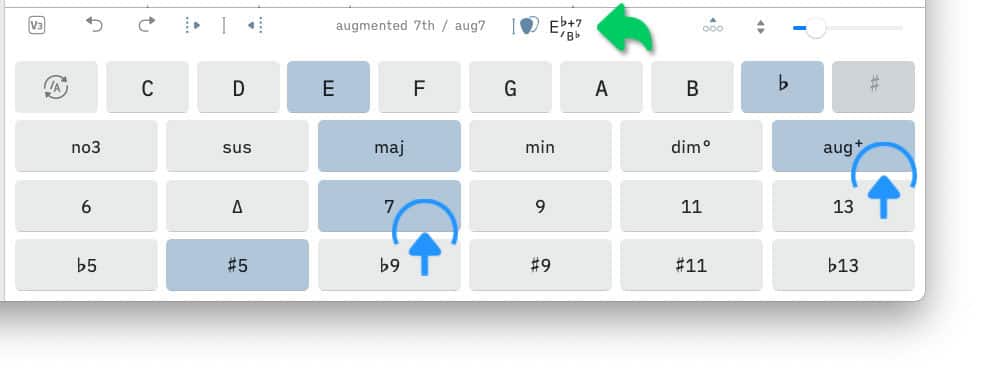
The Songs app assists you in creating a valid chord symbol. For instance, tapping/clicking on the augmented button ('aug+') will automatically de-select the minor button ('min') and the flat five button ('b5') and select the major button ('maj') as well as the sharp five button ('#5').
|
|
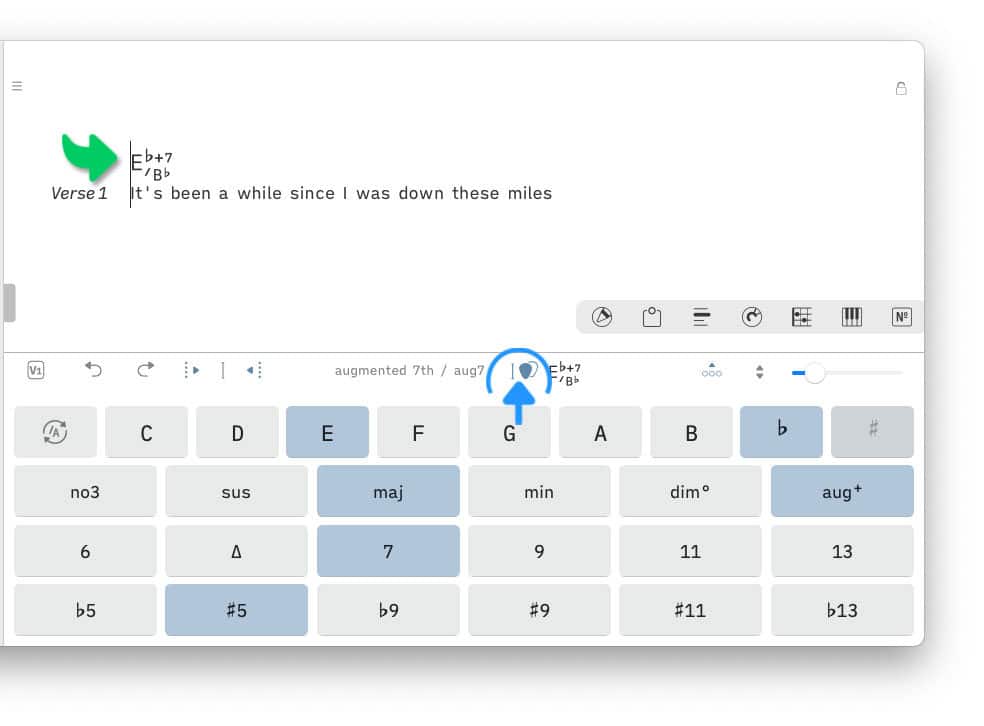
Tap/Click on the guitar pick icon to add the chord symbol to the lyrics at the cursor position. |
Replacing Chords
The chord matrix can be used to replace a specific chord in the lyrics:
|
|
Place the cursor at the beginning of the chord you wish to replace. |

The chord buttons of the matrix will be updated.
|
|
Customize the chord type by tapping/clicking on the appropriate buttons. |
|
|
Replace the chord in the lryics with the modified version by tapping/clicking on the guitar pick icon: |
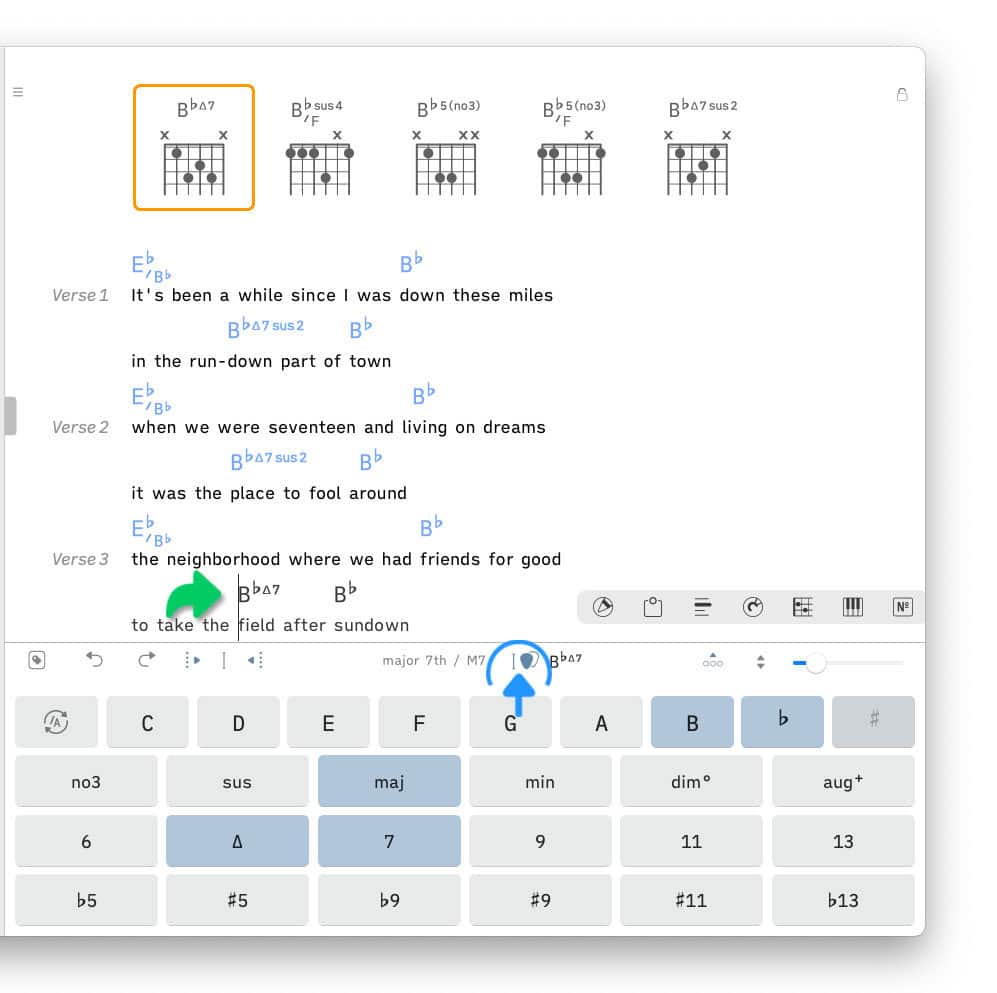
The chord diagrams of the chord chart are automatically updated whenever a new chord is added and an existing chord is replaced or removed. (See Chord Diagrams to learn more.)
Autoplaying Chords
|
|
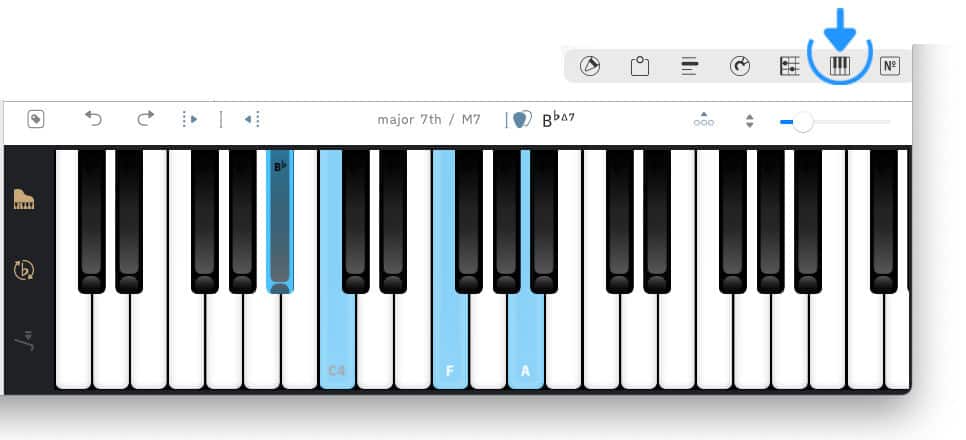
Tap/Click on the fretboard icon or the keyboard icon to autoplay the selected chord and display its notes. |